

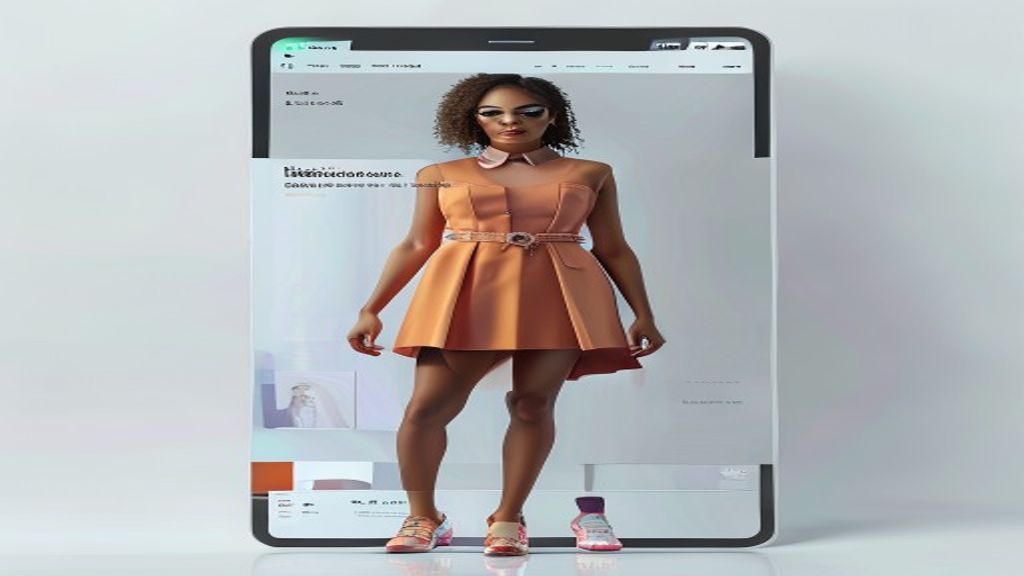
AI Try On Product Photos for Fashion Brands: Complete Guide
AI try on product photos for fashion brands use generative artificial intelligence to place clothing items onto digital models, replacing traditional photoshoots. This technology allows brands to create realistic on-model images without physical samples, studio rentals, or model bookings. By leveraging computer vision and diffusion models, AI try on tools map garments onto diverse body types, poses, and backgrounds. For fashion ecommerce, this means faster product launches, lower costs, and consistent visual quality across entire catalogs.
How to Create On-Model Fashion Images with AI Try On
The process of creating on-model fashion images with AI try on begins with a high-quality flat lay photo of your garment. You upload this image to an AI platform, select a base model from a library, and the system digitally drapes the clothing onto the model’s body. The AI analyzes fabric flow, texture, and lighting to produce a natural-looking result.
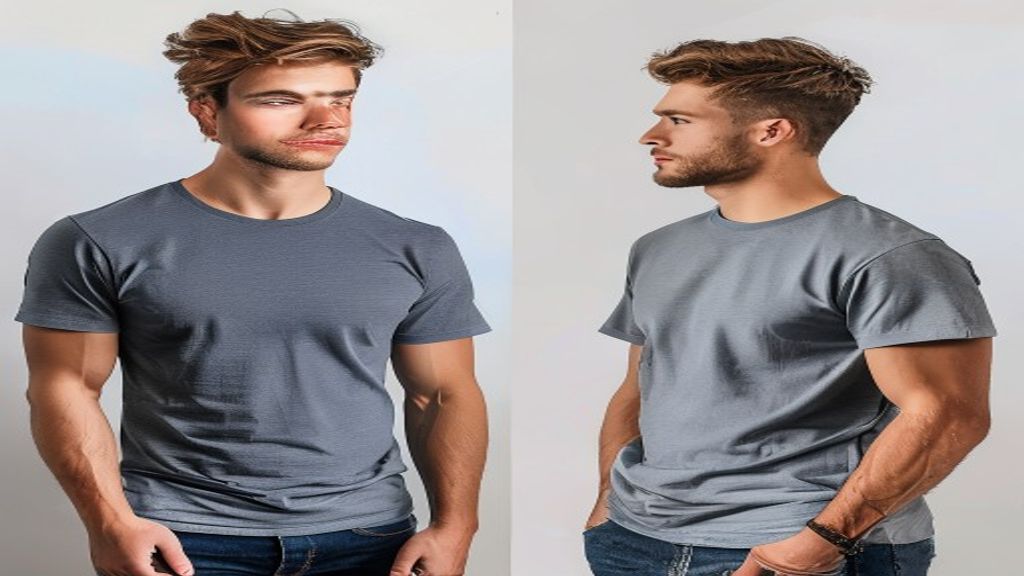
Step-by-step process for AI model dressing
First, photograph your garment on a plain background with even lighting. Remove any wrinkles or shadows during editing. Next, choose a model template that matches your target demographic. The AI uses segmentation maps to understand garment shape and applies it to the model’s pose. Most tools let you adjust fit tightness and garment position manually. Finally, refine the output by regenerating problematic areas like sleeves or collars.
Best practices for garment photography inputs
Your input image determines output quality. Use a flat surface with neutral lighting at 300 DPI resolution. Avoid transparent hangers or mannequins that confuse the AI. Shoot front, back, and side views for complex garments like jackets or dresses. For patterned fabrics, ensure the pattern is straight and undistorted. AI image generation tools work best when the input is clean and high contrast.
AI Virtual Fitting Images for Apparel Ecommerce
AI virtual fitting images for apparel ecommerce replace traditional model photography with algorithmically generated visuals that show products on realistic human figures. These images help shoppers visualize fit and style without needing physical try-ons, reducing return rates and increasing conversion. For more insights, check out our guide on AI image.
Benefits of virtual fitting for online stores
Virtual fitting reduces photoshoot costs by up to 90%. You can showcase one product on 20 models in minutes instead of hours. This technology supports inclusive sizing by generating images across body shapes, skin tones, and ages. Shoppers see how garments look on bodies similar to theirs, which builds trust. Data shows a 30% increase in conversion rates when multiple model sizes are displayed.
Technical requirements for realistic fitting results
Your AI tool needs a garment segmentation model that separates clothing from background. It also requires a pose estimation network to align garments with model joints. High-end tools use diffusion models trained on millions of fashion pairs. Most platforms require a GPU with at least 8GB VRAM for real-time rendering. Cloud-based solutions remove hardware barriers for small brands.
Fashion Product Preservation in AI Try On Images
Fashion product preservation in AI try on images refers to the technology’s ability to maintain the exact design details, fabric textures, and brand-specific elements of the original garment during digital rendering. Without preservation, AI can distort logos, change colors, or simplify complex patterns. For more insights, check out our guide on AI image.
How AI maintains garment integrity during rendering
Advanced AI systems use texture preservation layers that lock in original pixel data. They apply warping algorithms that stretch fabric naturally without tearing or blurring. Pattern matching ensures stripes and plaids align at seams. Color calibration tools prevent hue shifts between input and output. Some platforms offer manual preservation masks where you highlight critical areas like embroidery or buttons.
Common preservation failures and fixes
The most common failure is logo distortion on curved surfaces. Fix this by adding a high-resolution overlay layer after AI rendering. Another issue is fabric sheen loss on satin or leather. Use specular mapping tools to restore shine. Pattern misalignment on asymmetrical garments requires manual seam editing. Always compare the AI output side by side with your original product photo to catch preservation errors.
AI Model Try On Workflow for Clothing Sellers
An AI model try on workflow for clothing sellers is a repeatable process that moves from product photography to final rendered images ready for ecommerce listing. This workflow eliminates the need for physical samples and model coordination.
Setting up your production pipeline
Start by creating a product database with flat lay images, measurements, and fabric type. Batch upload garments to your AI platform. Generate base images on a standard model first. Review for preservation errors and regenerate if needed. Then scale to multiple models and poses. Export images in web-optimized format with consistent naming conventions. A single operator can process 200 garments per day using this workflow.
Integrating AI try on with existing catalogs
Most AI platforms offer API integration with Shopify, WooCommerce, and Magento. You can automate image generation when new products are added. Set up rules for model diversity: generate on three body types per garment. Use A/B testing to compare AI images against traditional photos. Track click-through rates to optimize model selection. The table below compares manual vs AI workflow efficiency.
| Metric | Traditional Photoshoot | AI Try On Workflow |
|---|---|---|
| Time per garment | 45 minutes | 3 minutes |
| Cost per image | $150 | $2 |
| Models per garment | 1-2 | 10-20 |
| Reshoot rate | 15% | 5% |
| Catalog update speed | 2 weeks | 2 days |
Choosing the Right AI Try On Tool for Your Brand
Selecting the right AI try on tool depends on your catalog size, budget, and technical expertise. Enterprise tools offer batch processing and API access, while consumer tools provide simple drag-and-drop interfaces.
Key features to evaluate
Look for these essential features: garment preservation accuracy, model diversity library, background customization, and export resolution. Check if the tool supports your garment types: knitwear, denim, activewear, and formal wear each require different rendering approaches. Evaluate processing speed for bulk orders. Some tools charge per image, others offer monthly subscriptions. Always test with your most complex garment first.
Free vs paid solutions comparison
Free tools typically limit resolution to 512×512 pixels and add watermarks. They offer 5-10 model poses and basic garment preservation. Paid tools start at $30/month for 100 images and scale to unlimited rendering. Enterprise plans include dedicated support, custom model creation, and white-label options. For brands generating over 500 images monthly, paid solutions deliver better ROI through time savings and higher conversion rates.
Common Challenges and Solutions in AI Fashion Imaging
Common challenges in AI fashion imaging include unrealistic fabric draping, inconsistent lighting, and model face generation errors. Each issue has specific solutions that improve output quality.
Fabric physics and draping issues
AI struggles with heavy fabrics like wool or structured garments like blazers. The solution is to provide side-view reference images and use fabric weight parameters in advanced tools. For flowing fabrics like silk, enable physics simulation modules. Reduce garment transparency by increasing opacity settings. Some platforms let you manually pin fabric points to adjust draping.
Lighting and shadow inconsistencies
When AI try on images have mismatched lighting, the garment looks pasted on. Fix this by selecting models with studio lighting that matches your brand aesthetic. Use shadow generation tools to create floor shadows. Match color temperature between garment and background. For outdoor scenes, add environmental lighting maps. Most tools offer automatic lighting harmonization that analyzes both elements.
Measuring ROI from AI Generated Product Photos
Measuring ROI from AI generated product photos involves tracking cost savings, time reduction, and revenue impact. Brands typically see full return on investment within three months of adoption.
Key performance indicators to track
Track these metrics: cost per image generated versus traditional photography, time from product arrival to listing, conversion rate on AI images versus stock photos, return rate changes after implementing virtual fitting, and customer satisfaction scores. Use UTM parameters to segment traffic from AI-generated images. Compare seasonal catalog performance before and after AI adoption.
Real-world ROI examples from fashion brands
A mid-size womenswear brand reduced photoshoot costs from $50,000 to $5,000 per season. Their time-to-market dropped from 6 weeks to 5 days. Conversion rates increased 25% after adding diverse model images. Another activewear brand saw return rates decrease 18% because customers better understood fit from AI try on images. These results validate the technology as a core ecommerce tool.
What is AI try on technology for fashion?
AI try on technology uses generative artificial intelligence to digitally place clothing items onto model images. It analyzes garment shape, fabric texture, and lighting to create realistic product photos without physical photoshoots. This technology helps ecommerce brands showcase apparel on diverse body types quickly and affordably.
How accurate are AI try on product photos?
Modern AI try on tools achieve 85-95% accuracy for standard garments like t-shirts and dresses. Accuracy drops for complex items with multiple layers, heavy embellishments, or unusual cuts. Most platforms allow manual corrections to fix distortion issues. High-resolution inputs and proper garment preservation settings improve accuracy significantly.
Can AI try on replace traditional fashion photography?
AI try on can replace traditional photography for ecommerce product listings, especially for brands with large catalogs. However, luxury brands still use traditional shoots for editorial campaigns. The technology works best for standard product shots on clean backgrounds. Creative campaigns with unique concepts still benefit from professional photographers.
How much does AI try on software cost?
Free AI try on tools offer basic functionality with watermarks and resolution limits. Paid subscriptions range from $30 to $500 per month depending on image volume and features. Enterprise plans cost $1,000+ monthly and include API access, custom models, and dedicated support. Most platforms offer free trials to test quality before committing.
What types of garments work best with AI try on?
Simple garments like t-shirts, tank tops, and basic dresses produce the best results. Structured items like blazers, jeans, and jackets work well with proper input images. Difficult items include sheer fabrics, complex patterns, and garments with heavy draping. Activewear and swimwear typically render well due to their form-fitting nature.
How do I ensure my brand logo stays intact in AI images?
Use tools with logo preservation features that lock specific areas during rendering. Upload high-resolution logo files separately and overlay them after AI processing. Some platforms offer manual masking to protect critical brand elements. Always review generated images at 100% zoom to check logo clarity and alignment.
Can AI try on show garments on plus-size models?
Yes, most professional AI try on platforms offer diverse model libraries including plus-size options. The technology maps garments based on body measurements, so it can accurately render clothing on different body shapes. Some tools let you input custom model measurements for exact size representation. This feature supports inclusive marketing strategies.
- AI try on product photos reduce production costs by up to 90% while increasing catalog speed
- Garment preservation technology maintains design integrity during digital rendering
- Diverse model libraries enable inclusive product showcasing without extra cost
- Measurable ROI includes lower return rates, higher conversions, and faster time-to-market
- Start with simple garments and scale to complex items as you master the workflow
Ready to transform your fashion brand’s product photography? Begin by testing one AI try on tool with your top-selling garment. Compare the output against your current product images and track customer response. The technology is mature enough to deliver professional results today, and early adopters gain a significant competitive advantage in the fast-moving ecommerce landscape.