


Gemini Prompts for Ecommerce Product Images & Visuals
Crafting compelling product visuals is essential for online success. Utilizing Gemini prompts for ecommerce product images allows sellers to generate innovative and high-quality visual content efficiently, enhancing product appeal and driving sales. This guide explores how to leverage Gemini’s capabilities to create stunning product photography, from initial concept to final image.
Mastering Gemini Prompts for Unique Product Visuals
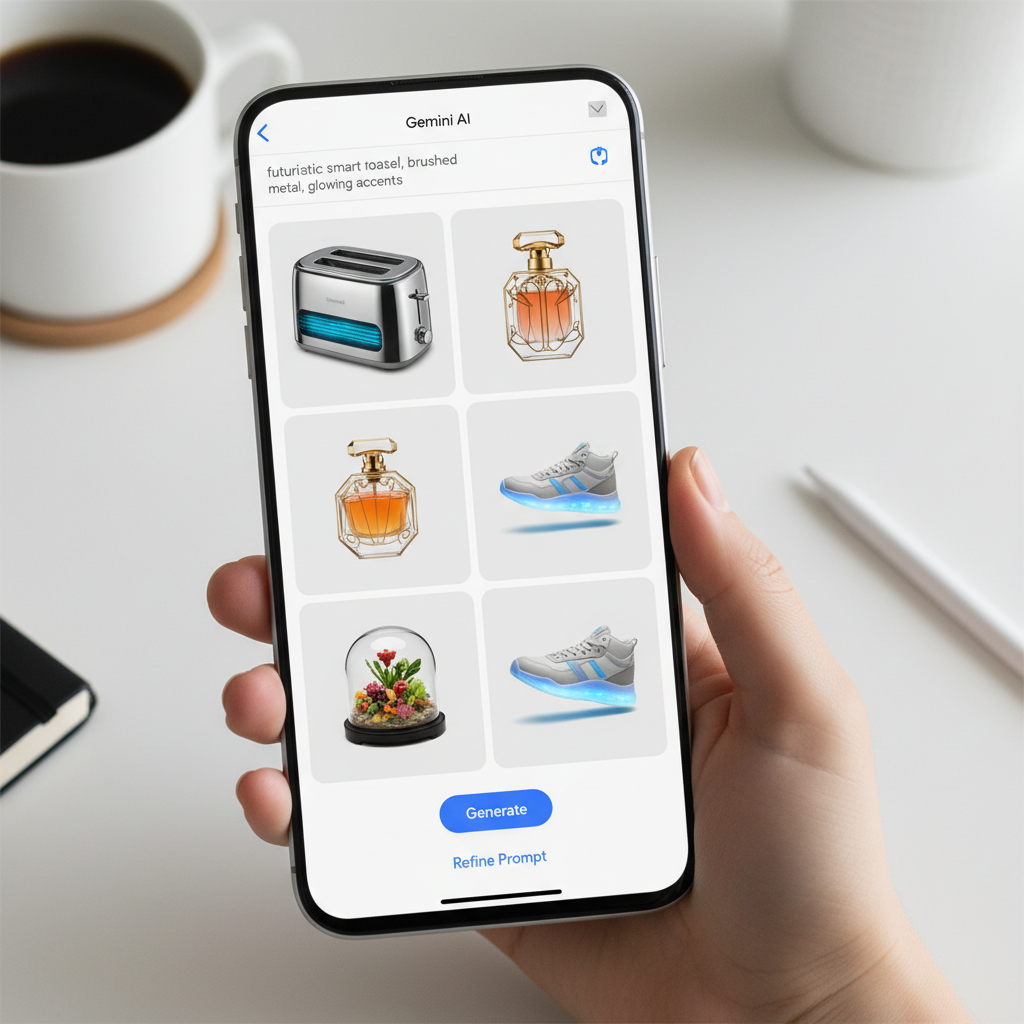
Mastering Gemini prompts for ecommerce product images involves understanding how to articulate your visual needs clearly and concisely to the AI. This allows Gemini to generate highly relevant and creative image concepts that stand out in a crowded marketplace. Effective prompting transforms generic ideas into specific, actionable visual blueprints.
Gemini’s advanced AI capabilities can interpret complex descriptions and translate them into visual concepts. This means you can move beyond simple white background shots. Instead, you can envision dynamic scenes, intricate details, and engaging narratives around your products. The goal is to provide enough detail for the AI to understand your vision without being overly restrictive. Experimentation is key to discovering the range of possibilities.
Crafting Effective Gemini Prompts for Visual Appeal
To craft effective Gemini prompts for ecommerce product images, focus on descriptive language. Include details about the product, desired setting, lighting, mood, and any specific elements you want to highlight. Think like a photographer directing a shoot. For instance, instead of “shoe picture,” try “A pair of sleek black running shoes, captured mid-air on a forest trail, dappled sunlight, athletic and dynamic feel.”
* Product Details: Clearly state the product, its color, material, and unique features.
* Setting/Environment: Describe the background, location, and overall scene.
* Lighting: Specify natural light, studio light, dramatic shadows, soft glow, etc.
* Mood/Emotion: Convey the feeling you want the image to evoke (e.g., luxurious, rugged, playful, serene).
* Composition/Angle: Suggest close-ups, wide shots, eye-level, or unique perspectives.
Leveraging AI for Diverse Product Image Concepts
Leveraging AI for diverse product image concepts opens up new avenues for visual storytelling. Gemini can help you explore variations you might not have considered. This includes different angles, environmental contexts, or even abstract interpretations. It’s about expanding your creative horizons with minimal effort.
For example, a prompt for a coffee mug could generate images of it:
* On a minimalist desk with a laptop.
* Held by hands next to a cozy fireplace.
* Sitting on a rustic wooden table with steam rising.
* As part of a flat lay with breakfast items.
This diversity ensures your product catalog remains fresh and engaging. It also helps in A/B testing different visual styles to see what resonates best with your target audience. The more varied your initial prompts, the more innovative the AI’s suggestions will be.
How to Use Gemini for Product Photo Ideas and Prompts
To effectively learn how to use Gemini for product photo ideas and prompts, begin by clearly defining your product’s unique selling propositions and target audience. Gemini excels when given specific parameters, allowing it to generate highly tailored visual concepts that resonate with your brand’s identity and customer base. The process involves iterative refinement of your prompts to achieve the desired visual outcome.
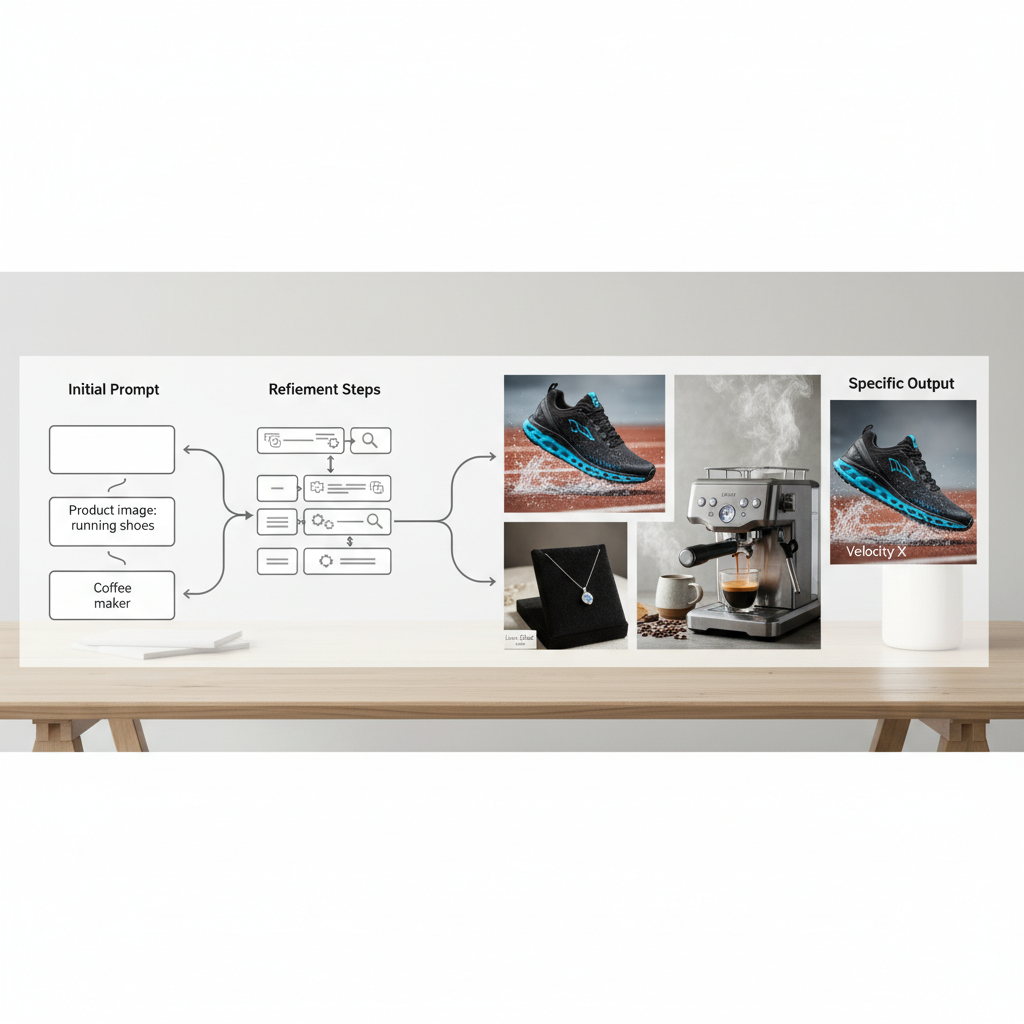
Start with broad ideas and gradually add more specific details. For instance, if you’re selling a skincare product, you might begin with “skincare product photography.” Then, refine it to “luxurious anti-aging serum, soft focus, glowing skin, elegant bathroom setting, natural light.” This iterative approach helps you home in on the perfect visual. Gemini acts as a powerful brainstorming partner, providing visual inspiration that can be directly translated into your photography brief or even used to generate initial mock-ups.
Developing Initial Concepts with Gemini
Developing initial concepts with Gemini is a straightforward process. You feed the AI a basic description of your product and the kind of image you envision. Gemini then returns a range of suggestions, which can include variations in style, setting, and composition. This initial output serves as a springboard for further refinement.
Consider these steps for developing initial concepts:
1. Identify Core Product Attributes: What are the key features and benefits?
2. Define Target Audience: Who are you trying to reach with this image?
3. Brainstorm Keywords: List adjectives and nouns related to your product and brand.
4. Input Basic Prompt: Combine these elements into a simple sentence for Gemini.
For example, for a durable outdoor backpack: “Rugged hiking backpack, mountain backdrop, adventure theme.” Gemini will then provide several interpretations, giving you a foundation to build upon.
Refining Prompts for Specific Visual Outcomes
Refining prompts for specific visual outcomes involves adding layers of detail and constraints to your initial Gemini query. This is where you guide the AI towards a precise aesthetic or narrative. Think about the specific emotions, textures, or lighting conditions you want to capture.
| Prompt Element | Example Detail | Impact on Image |
|---|---|---|
| Product Focus | “Close-up of intricate stitching on leather wallet” | Highlights craftsmanship and material quality. |
| Environment | “On a sun-drenched beach towel, with ocean in background” | Creates a relaxed, vacation-ready mood. |
| Lighting | “Golden hour light, soft shadows, warm glow” | Evokes warmth, luxury, or nostalgia. |
| Mood/Style | “Minimalist, clean, modern aesthetic” | Appeals to contemporary design preferences. |
| Props/Elements | “Surrounded by fresh coffee beans and a steaming cup” | Adds context, sensory appeal, and lifestyle integration. |
By systematically adding these details, you can steer Gemini towards generating images that align perfectly with your brand’s visual guidelines. This iterative process is crucial for achieving high-quality, publication-ready visuals. The more specific you are, the better the AI can understand and fulfill your creative brief.
Gemini AI Prompts for Amazon Shopify Product Images
Gemini AI prompts for Amazon Shopify product images are designed to meet the specific requirements and best practices of major ecommerce platforms, ensuring your visuals not only look great but also perform well in search and conversion. These platforms often have guidelines for image resolution, background, and content, which Gemini can help you adhere to. A key aspect is generating images that clearly showcase the product while also providing context and appeal.
For Amazon, crisp, clear images with a pure white background are often mandatory for the main product image. Gemini can generate these with prompts like “product name, white studio background, professional lighting, high resolution.” For Shopify, there’s more flexibility, allowing for lifestyle shots and creative compositions that build brand identity. Utilizing Gemini helps streamline the creation of diverse visual assets, from clean cut-outs to engaging lifestyle scenes, all optimized for platform guidelines. This ensures your product listings are both compliant and captivating.
Crafting Prompts for White Background Product Shots
Crafting prompts for white background product shots using Gemini AI is crucial for platforms like Amazon, where a clean, uncluttered look is standard. These images ensure the product is the sole focus, minimizing distractions.
To achieve this, your prompts should be precise:
* “High-resolution image of [Product Name], isolated on a pure white background, studio lighting, sharp focus, no shadows.”
* “Front view of [Product Type] in [Color], crisp white backdrop, evenly lit, ecommerce ready.”
* “Professional studio shot of [Product Material] [Product Item], white seamless background, perfect exposure.”
These specific instructions guide Gemini to produce images that meet the stringent requirements of most online marketplaces, making them ideal for primary product listings.
Generating Lifestyle and Contextual Images for Ecommerce
Generating lifestyle and contextual images for ecommerce with Gemini allows sellers to create engaging visuals that tell a story around their product. These images are vital for platforms like Shopify and for social media marketing, as they help customers visualize themselves using the product.
Effective prompts for lifestyle images include details about:
* The User: “A young woman wearing [Product] enjoying coffee on a balcony.”
* The Environment: “Rustic kitchen counter with [Product] being used to prepare a meal.”
* The Mood: “Cozy evening scene, [Product] illuminating a reading nook, warm glow.”
* Props: “[Product] next to a laptop and a cup of tea, indicating productivity.”
By providing these rich descriptions, Gemini can generate scenarios that resonate with your target audience, making the product more desirable. This type of visual content is excellent for secondary images on product pages, marketing campaigns, and brand storytelling.
Google Gemini Product Photography Workflow for Sellers
The Google Gemini product photography workflow for sellers integrates AI-powered image generation into a streamlined process, from conceptualization to final asset creation. This workflow empowers sellers to produce high-quality, diverse product visuals much faster and more cost-effectively than traditional photography methods. It involves a continuous loop of prompting, generating, reviewing, and refining to achieve optimal results.
Sellers can begin by outlining their visual needs for a product launch or campaign. They then use Gemini to generate initial concepts, leveraging its ability to create various styles and settings. After reviewing the generated images, sellers can refine their prompts based on what worked and what didn’t, guiding Gemini closer to their vision. This iterative process significantly reduces the time and resources typically spent on photoshoots, while still ensuring a wide range of visually appealing content. The workflow allows for rapid iteration and creative exploration, making it an invaluable tool for modern ecommerce.
Streamlining Product Image Creation with AI
Streamlining product image creation with AI, specifically Google Gemini, transforms the traditional photography process. Instead of scheduling shoots and managing logistics, sellers can generate multiple image variations in minutes. This speed is particularly beneficial for large inventories or frequent product updates.
Key steps in streamlining include:
1. Batch Prompting: Create a list of prompts for an entire product line.
2. Automated Generation: Let Gemini generate images based on these prompts.
3. Quick Selection: Review and select the best images or refine prompts for specific needs.
4. Post-Processing (if needed): Minor adjustments in an image editor.
This efficiency allows sellers to allocate more resources to other critical aspects of their business, such as marketing and customer service.
Integrating Gemini into Your Existing Ecommerce Strategy
Integrating Gemini into your existing ecommerce strategy means leveraging its capabilities to enhance various touchpoints where visuals are crucial. This extends beyond just product pages to social media, email marketing, and advertising. Gemini becomes a powerful tool in your content arsenal.
Consider these integration points:
* Product Launches: Quickly create diverse launch assets.
* Seasonal Campaigns: Generate themed images for holidays or special events.
* A/B Testing: Produce variations of images to test conversion rates.
* Social Media Content: Maintain a fresh and engaging feed with new visuals.
* Ad Creatives: Design eye-catching images for paid advertising campaigns.
By making Gemini a core part of your visual content strategy, you ensure a consistent supply of high-quality, relevant images that keep your brand competitive and engaging across all channels.
Gemini Product Image Prompts for Lifestyle Scenes
Gemini product image prompts for lifestyle scenes are essential for creating visuals that connect with customers on an emotional level, showcasing how products fit into real-world contexts. Lifestyle imagery moves beyond simple product display to illustrate utility, benefits, and aspiration. This approach is particularly effective for products where user experience and emotional appeal are key selling points.
When crafting these prompts, focus on the narrative you want to tell. Instead of just describing the product, describe the scene where the product is being used or enjoyed. For example, for a piece of jewelry, you might prompt for “Elegant silver necklace, worn by a woman in a chic evening dress at a rooftop bar, city lights in background, sophisticated and glamorous.” These detailed scenarios allow Gemini to generate rich, evocative images that resonate deeply with potential buyers. The goal is to make the customer envision themselves experiencing the positive outcomes associated with your product.
Crafting Prompts for Engaging User Scenarios
Crafting prompts for engaging user scenarios involves painting a vivid picture of someone interacting with your product. This helps potential customers visualize themselves in a similar situation, fostering a stronger connection. The more specific and relatable the scenario, the better Gemini can perform.
Think about:
* Who is using the product? (e.g., “a busy parent,” “a young professional,” “an adventurous hiker”)
* What are they doing? (e.g., “reading a book,” “cooking dinner,” “working out”)
* Where are they? (e.g., “cozy living room,” “modern office,” “mountain trail”)
* What is the emotion? (e.g., “relaxed,” “energized,” “focused”)
For instance, for a comfortable blanket, you could prompt: “A person wrapped in a soft knitted blanket, reading by a window on a rainy day, warm and cozy atmosphere.” This kind of detail helps Gemini create a compelling visual story.
Generating Seasonal and Themed Lifestyle Shots
Generating seasonal and themed lifestyle shots with Gemini allows businesses to keep their marketing content fresh and relevant throughout the year. This is crucial for holiday sales, seasonal promotions, and connecting with current trends. Gemini can quickly adapt to different thematic requirements.
Examples of themed prompts:
* Winter Holidays: “[Product] as a gift under a decorated Christmas tree, festive lighting, joyful mood.”
* Summer Vacation: “[Product] on a beach towel next to sunglasses and a cold drink, bright sun, relaxed vibe.”
* Autumn Harvest: “[Product] displayed with pumpkins and fall leaves on a rustic wooden table, warm tones.”
* Spring Refresh: “[Product] in a bright, airy room with fresh flowers, clean and vibrant feel.”
By providing clear thematic elements, you can ensure Gemini generates images that perfectly align with your seasonal marketing campaigns, making your brand feel timely and relevant. These targeted visuals are highly effective in capturing consumer attention during specific periods.
Optimizing Gemini Output for Ecommerce Platforms
Optimizing Gemini output for ecommerce platforms involves refining the generated images to meet specific technical and aesthetic standards, ensuring they are high-quality, fast-loading, and visually appealing across various devices. While Gemini creates excellent initial concepts, some post-generation adjustments are often necessary to achieve perfection for live product listings. This optimization process ensures your images contribute positively to user experience and SEO.
Key optimization steps include checking image resolution, file size, aspect ratios, and color accuracy. Ecommerce platforms often have strict guidelines for these parameters to maintain site performance and visual consistency. For instance, images should be high enough resolution to allow zooming, but compressed enough to load quickly. Gemini’s output provides a strong foundation, and a few final tweaks can make them truly publication-ready, enhancing both conversion rates and overall brand perception.
Resizing and Cropping Gemini Images for Various Platforms
Resizing and cropping Gemini images for various platforms is a critical post-generation step. Different ecommerce sites and social media channels have specific aspect ratio and dimension requirements. Adhering to these ensures your images display correctly and professionally.
Common aspect ratios and platforms:
* Square (1:1): Ideal for Instagram, many product listing pages (e.g., Amazon, Shopify thumbnails).
* Landscape (3:2, 4:3, 16:9): Good for website banners, blog headers, Facebook ads.
* Portrait (2:3, 9:16): Suitable for Pinterest, Instagram Stories, TikTok.
Tools like image editors (e.g., Photoshop, Canva) or online resizing services can help adjust Gemini’s output to these specifications. It’s important to maintain image quality during this process, avoiding pixelation or distortion.
Enhancing Image Quality and Consistency
Enhancing image quality and consistency across all your Gemini-generated visuals is paramount for a professional brand image. While Gemini is powerful, a human touch can often refine details, correct minor imperfections, and ensure a cohesive look.
Consider these enhancement techniques:
* Color Correction: Adjust white balance, saturation, and contrast for accurate product representation.
* Sharpness: Lightly sharpen images to make details pop, especially for high-resolution displays.
* Background Cleanup: Even on white backgrounds, minor imperfections might need removal.
* Branding Elements: Add subtle watermarks or logos if appropriate for your brand strategy.
* Batch Processing: Apply consistent edits across a series of images to maintain a uniform aesthetic.
By investing a little time in post-processing, you can elevate Gemini’s output to truly professional-grade product images that enhance your brand’s credibility and appeal. This attention to detail contributes significantly to customer trust and conversion.
What are Gemini prompts for product images?
Gemini prompts for product images are specific text instructions given to the Google Gemini AI to generate visual concepts or actual images of products. These prompts guide the AI on product details, setting, lighting, and mood to create tailored visual content for ecommerce. They allow sellers to quickly produce diverse and high-quality product photography without traditional photoshoots.
How can Gemini improve my product photography workflow?
Gemini can significantly improve your product photography workflow by automating the initial concept generation and even creating finalized images. It reduces the need for expensive equipment, studios, and models, allowing for rapid iteration and a wider variety of visual content. This streamlines the process from idea to publication, saving time and resources for ecommerce sellers.
Are Gemini AI prompts suitable for Amazon and Shopify?
Yes, Gemini AI prompts are highly suitable for generating product images for both Amazon and Shopify. For Amazon, prompts can be tailored to create clean, white-background images meeting their strict guidelines. For Shopify, prompts can generate more creative lifestyle and contextual shots that enhance brand storytelling. This flexibility makes Gemini a versatile tool for diverse platform requirements.
What details should I include in a Gemini prompt for lifestyle scenes?
For lifestyle scenes, include details about the product, the user (demographics, activity), the environment (location, time of day), the mood or emotion, and any relevant props. For example, “A stylish smartwatch on a runner’s wrist, track field background, morning light, energetic and focused.” The more descriptive the prompt, the more accurate and engaging the generated scene will be.
Can Gemini help with product image ideas for social media?
Absolutely. Gemini is excellent for generating product image ideas specifically for social media. You can prompt for images with specific aspect ratios, vibrant colors, or engaging scenarios that are optimized for platforms like Instagram, Pinterest, or Facebook. This helps maintain a fresh and diverse content calendar, keeping your audience engaged with new and exciting visuals.
How do I ensure consistent branding with Gemini-generated images?
To ensure consistent branding, incorporate brand guidelines into your Gemini prompts. Specify preferred color palettes, aesthetic styles (e.g., minimalist, rustic, luxurious), and recurring elements. After generation, minor post-processing for color correction and applying consistent filters or branding elements can further unify the visual style across all Gemini-generated images, maintaining a cohesive brand identity.
The strategic application of Gemini prompts for ecommerce product images marks a significant advancement for online sellers. By embracing this AI-powered approach, businesses can unlock unparalleled efficiency and creativity in their visual content strategy.
Key takeaways for leveraging Gemini:
* Precision in Prompting: Detailed and descriptive prompts yield the most relevant and high-quality images.
* Versatility for Platforms: Gemini can generate images tailored for diverse platforms like Amazon and Shopify, meeting specific guidelines.
* Workflow Optimization: Integrate Gemini into your existing photography workflow to save time and resources.
* Lifestyle Storytelling: Create engaging lifestyle scenes that connect with customers on an emotional level.
* Continuous Refinement: Iterate on your prompts and optimize generated images for peak performance and brand consistency.
As the ecommerce landscape evolves, tools like Gemini will become indispensable for maintaining a competitive edge. Start experimenting with these powerful prompts today to transform your product visuals and captivate your audience.