

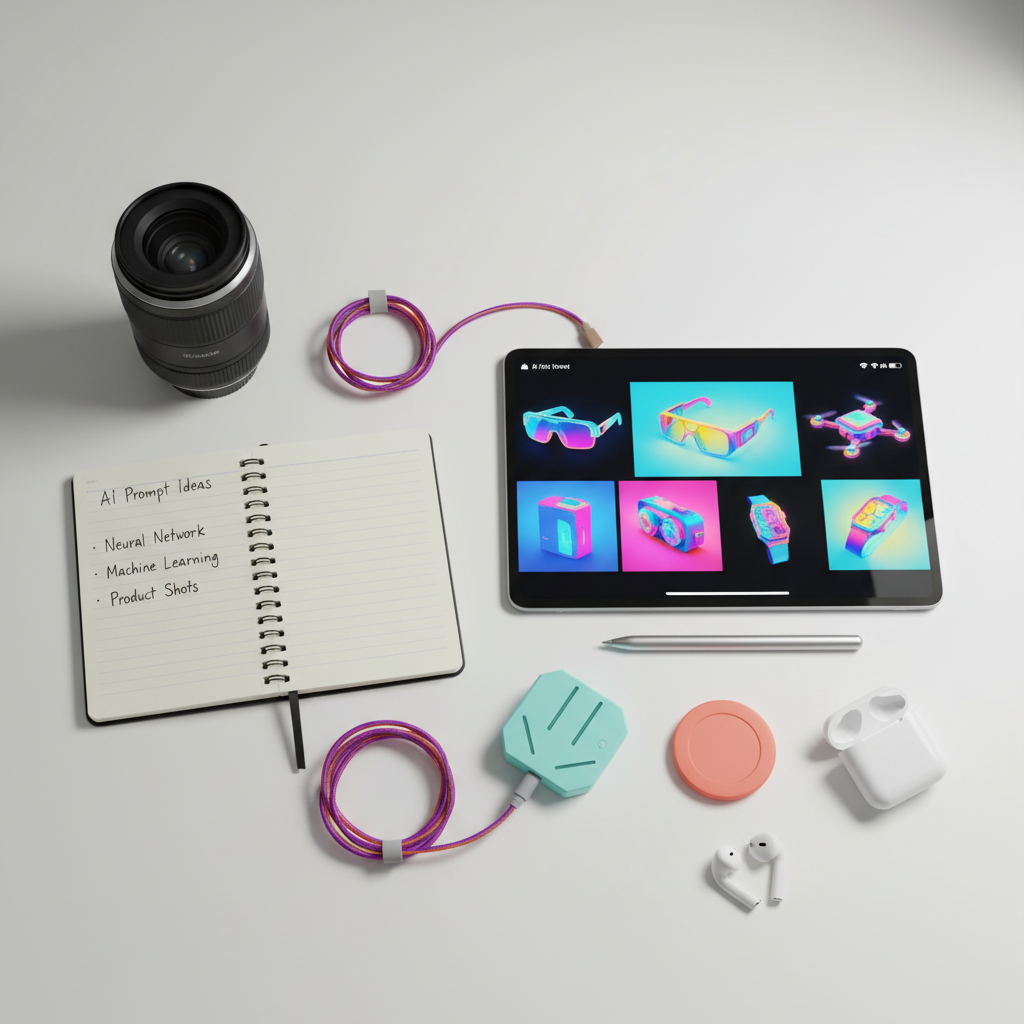
How To Write Product Photography Prompts For FLUX And Midjourney
Generating stunning product photography with AI tools like FLUX and Midjourney has become an essential skill for modern e-commerce sellers and marketers. This guide will teach you how to write precise and creative prompts to achieve professional, publication-ready images. By understanding the nuances of prompt engineering, you can unlock limitless photographic possibilities, transforming simple product shots into captivating marketing materials.
Understanding AI Prompt Anatomy for Product Visuals
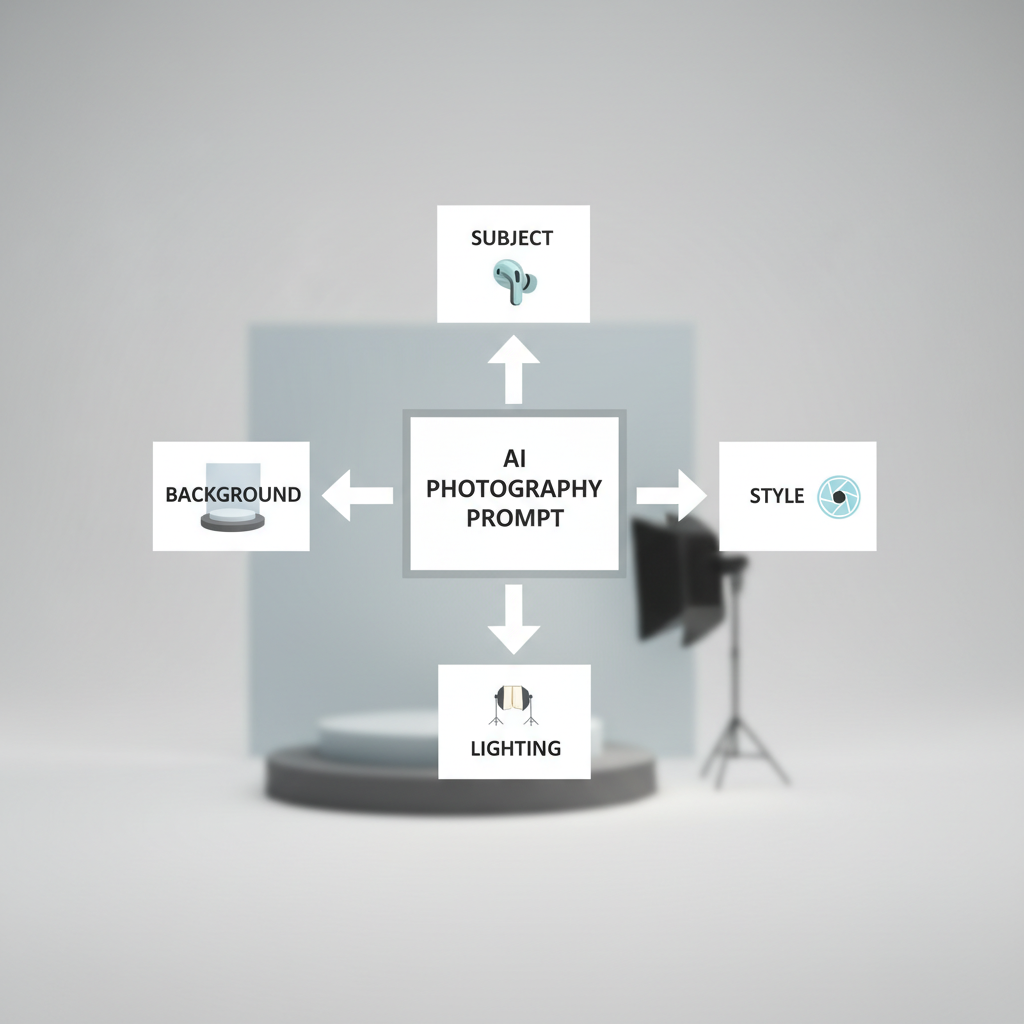
To create high-quality product images using AI, it’s crucial to understand the fundamental components of a well-structured prompt. A strong AI photo prompt combines several key elements that help the model interpret your intent and produce images that match your vision. These elements typically include the subject, environment/setting, lighting, style/mood, technical details, and additional elements like props or textures.
The subject is the main product you want the AI to focus on, requiring clear identification of its type, color, material, and unique features. The environment or setting describes where the product is placed, such as a minimalist studio, a marble counter, or a natural outdoor scene. Lighting is a critical factor that can make or break a product photograph; specifying its type (e.g., softbox, rim lighting, golden hour), direction, and quality is essential. Style and mood define the overall aesthetic, guiding the AI to create images that are, for instance, minimalist, luxurious, or vibrant. Technical details encompass camera angles (e.g., close-up, top-down, low angle), depth of field (e.g., shallow depth of field, f/1.8 bokeh), and specific lens types (e.g., 85mm, 50mm). Finally, additional elements like props (e.g., fresh flowers, scattered diamonds) or textures (e.g., visible condensation, leather grain) add richness and context to the image.
When writing prompts for FLUX, a detailed and descriptive approach works best, as it processes prompts with architectural sophistication, understanding structure, hierarchy, and intent. FLUX thrives on layered information, where you build up the description from the core subject to actions, style, and context. For example, instead of “A perfume bottle,” a more effective FLUX prompt would be: “High-end perfume bottle, unique design, vivid colors, captured with a bokeh background.” Midjourney, while also benefiting from detail, can be more aesthetically biased, often producing dramatic and stylized images by default. Both tools, however, reward specificity and natural language, so writing prompts like you are briefing a photographer is a highly effective strategy.
Structuring Effective AI Prompts for Product Shots
Effective AI prompts for product shots follow a clear hierarchical structure to ensure the AI prioritizes information correctly. For FLUX, the “Four-Pillar Structure” is recommended: Subject, Action, Style, and Context, with critical requirements placed at the beginning. This means starting with the product itself, then describing what it’s doing or its state, followed by the desired aesthetic, and finally the environment and mood. For Midjourney, a similar structure is beneficial: `[Product] + [Material] + [Environment] + [Lighting] + [Camera/Lens] + [Parameters]`. This systematic approach helps in achieving consistent and high-quality outputs.
Incorporating Technical Photography Terms in AI Prompts
Using real photography terms significantly enhances the AI’s ability to generate specific and professional-looking images. Terms like “softbox lighting,” “rim lighting,” “85mm lens,” “f/8 aperture,” “shallow depth of field,” “high dynamic range,” and “natural shadows” provide the AI with precise instructions on how the image should be captured. For instance, specifying “soft diffused studio lighting from above” or “golden hour ambient light with warm tones” can drastically change the mood and quality of the generated image. These technical details allow for greater control over the final output, mimicking a professional studio setup.
Mastering Prompt Engineering for Consistent Product Photo Series
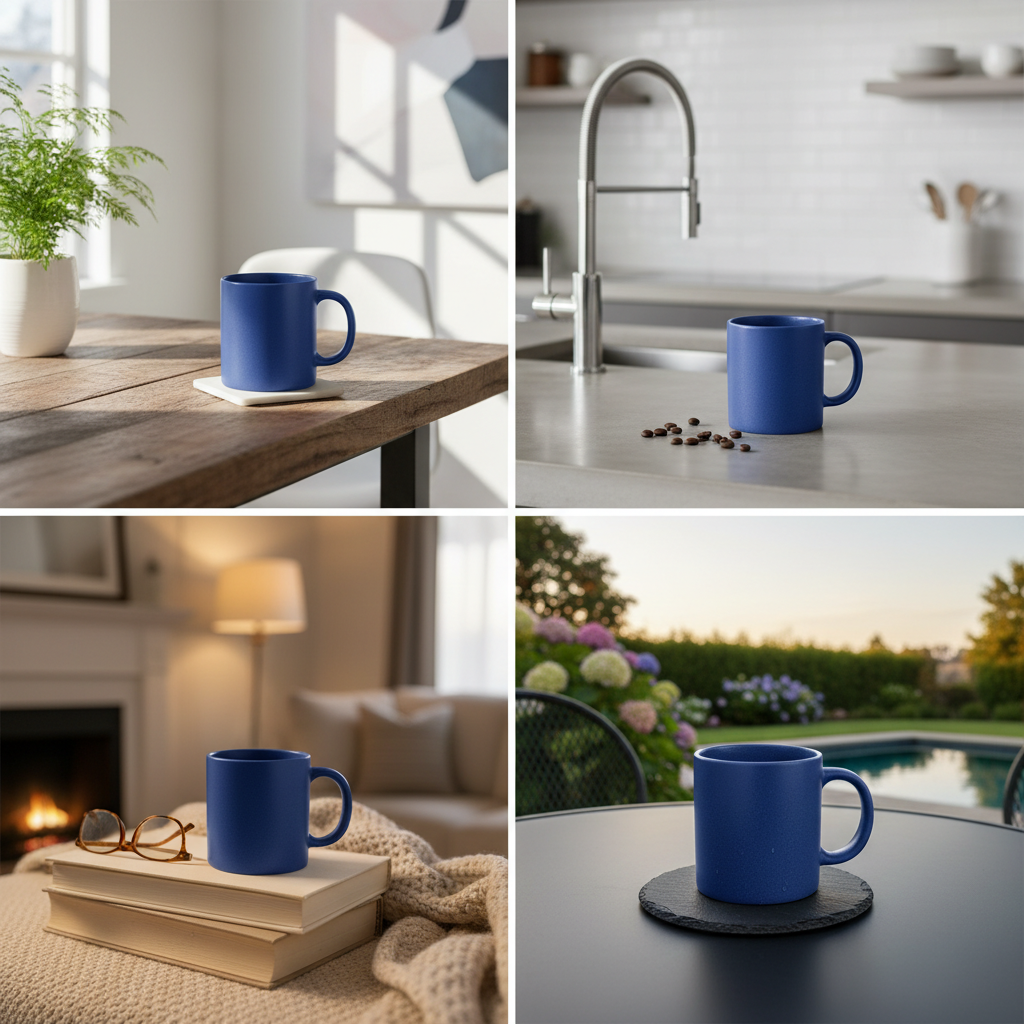
Achieving consistency across a series of product photos is a common challenge in AI image generation, but it’s essential for brand recognition and e-commerce success. AI prompt chaining for consistent product photo series generation involves using specific techniques and parameters to ensure that elements like lighting, camera angle, background, and product style remain uniform across multiple images. This consistency is vital for maintaining a cohesive brand aesthetic and building customer trust.
One of the most effective methods for maintaining consistency in Midjourney is using seed numbers (`–seed`) and style references (`–sref`). Once you generate an image you like, you can extract its seed number and use it in subsequent prompts to create variations that retain the original’s core characteristics. Similarly, a style reference allows you to provide an image URL that Midjourney will use as a visual reference for composition, color, and style, ensuring a unified look and feel across your product line. For FLUX, structured prompting and leading with the subject are key to consistent results. Both platforms benefit from a “brief-like” approach, where you define the product, finish, key color, and use case in a concise sentence, then apply that template consistently.
| Consistency Element | Midjourney Technique | FLUX Technique |
| :—————— | :—————————————————– | :————————————————————————– |
| Lighting | Specify exact lighting (e.g., “softbox lighting,” “rim lighting”) and use `–style raw`. | Be specific about lighting quality and direction (e.g., “soft diffused studio lighting from above”). |
| Background | Use `–sref` with a background image or consistent descriptions like “pristine white backdrop.” | Define background and surface clearly (e.g., “light gray acrylic sweep”). |
| Product Shape | Use `–oref [imageURL]` (Omni Reference in V7) to lock the product’s shape and details. | Start with a clean input image and define the subject first. |
| Style/Mood | Use `–sref` with a reference image or consistent style keywords (e.g., “minimalist,” “cinematic”). | Employ the “Four-Pillar Structure” and detailed style descriptors. |
Building a Product Photography Prompt Library for Ecommerce Sellers
A product photography prompt library for ecommerce sellers 2026 is an invaluable asset for streamlining content creation. This library should contain a collection of pre-tested prompts and prompt templates tailored to different product categories, lighting scenarios, and desired aesthetics. For instance, you might have templates for “clean studio shots,” “lifestyle scenes,” “macro detail shots,” or “on-model photography.” Each template can include placeholders for product-specific details, allowing for quick customization while maintaining consistency. Regularly updating this library with new parameters and successful prompt variations ensures it remains effective.
Leveraging Reference Images and Parameters for Brand Consistency
Reference images play a crucial role in guiding AI models to produce consistent, on-brand visuals. In Midjourney, you can upload image URLs as part of your prompt to influence content, composition, and colors. This is particularly useful for establishing a specific angle, lighting, or texture that you want to replicate across multiple products. Parameters like `–ar` (aspect ratio), `–seed`, and `–style raw` further refine the output and help lock in technical settings. For FLUX, while not explicitly using `–sref` or `–seed` in the same way, the concept of uploading a clean packshot and then contextually editing it while maintaining label clarity is similar to using a reference. By combining descriptive text with visual references and precise parameters, you can achieve a high degree of brand consistency.
Crafting AI Prompts for Cosmetics and Beauty Product Photos
Prompt engineering for AI cosmetics and beauty product photos requires a nuanced understanding of how to highlight texture, luminosity, and the luxurious appeal of these items. The goal is to create visuals that are both aesthetically pleasing and accurately represent the product’s qualities, often emphasizing ingredients, application, or the aspirational lifestyle associated with beauty.
When generating images for cosmetics and beauty products, focus on sensory details. For instance, instead of just “lipstick,” consider “luxurious matte red lipstick, creamy texture, precise application, soft studio lighting, shallow depth of field, elegant marble background.” This level of detail helps the AI capture the desired visual and tactile qualities. Specific keywords for beauty products often include “dewy finish,” “glowing skin,” “smooth texture,” “vibrant color,” “natural light,” “bokeh background,” and “clean aesthetic.” For items like skincare, prompts might emphasize the “premium white skincare jar, high-key studio lighting, soft diffuse shadows, clean seamless background, ultra-clean commercial aesthetic.” Incorporating elements like water droplets, fresh botanicals, or elegant hands can further enhance the perception of quality and natural ingredients.
Highlighting Textures and Finishes in Beauty Product Prompts
To effectively highlight textures and finishes in beauty product photos, prompts should explicitly describe these qualities. For example, for a foundation, you might include “silky smooth liquid foundation, radiant finish, subtle glow on skin, soft focus.” For a palette, “velvet eyeshadow palette, rich pigment, shimmering metallic shades, close-up shot revealing fine powder texture.” Keywords like “frosted glass,” “brushed metal,” “satin finish,” or “visible pores” (for skin close-ups) are highly effective in guiding the AI to render these details realistically. The aim is to make the product look tangible and desirable, conveying its quality through visual cues.
Creating Aspirational and Lifestyle Beauty Shots with AI
Beyond simple product shots, AI can generate aspirational and lifestyle images that connect with consumers on an emotional level. For beauty products, this often involves showing the product in use or in a luxurious setting. Prompts could include “elegant hands interacting with a luxury serum bottle, shallow depth of field, soft morning light, minimalist bathroom vanity.” Or, for makeup, “professional model, mid-30s, natural smile, holding Armani fragrance bottle at chest height, soft studio lighting.” You can also specify the inclusion of elements like “rose petals,” “crystal fragments,” or “soft focus background with blurred flowers” to add a sense of luxury and allure. These prompts help create a narrative around the product, showcasing its benefits in a desirable context.
Generating Food Product Photography with AI Prompts
AI prompt guide for generating food product photography 2026 emphasizes creating visuals that are appetizing, vibrant, and evoke a sensory experience. The key is to use specific, detailed keywords that describe the food, its presentation, ingredients, and the desired mood, making the dishes look irresistible.
When crafting prompts for food photography, think about the freshness, texture, and arrangement of the ingredients. For instance, instead of “a pizza,” a more effective prompt would be “hyper-realistic photo of a gourmet pepperoni pizza, melted mozzarella cheese, fresh basil leaves, golden crust, studio lighting, rustic wooden table background, shallow depth of field.” Incorporate details about the preparation or serving, such as “red wine glass pouring splash, frozen droplets, dramatic backlighting, dark luxurious background,” to add dynamism and visual appeal. Emphasize vibrant colors, intricate details, and appealing compositions. Consider the context, whether it’s a high-end restaurant plating or a cozy home-cooked meal, and include corresponding environmental descriptors.
Emphasizing Freshness and Texture in Food Prompts
To make food look truly delicious, your prompts must focus on freshness and texture. Use descriptive adjectives like “crisp,” “juicy,” “tender,” “fluffy,” “golden-brown,” “visible condensation,” or “melted.” For example, “freshly baked artisanal bread, rustic crust, visible texture of sourdough, steam rising, warm ambient lighting, linen tablecloth.” For fruits, “vibrant mixed berries, glistening with dew, shallow depth of field, natural morning light.” Specifying “macro shot” can help capture subtle details, textures, or even movement, enhancing the sensory experience.
Creating Dynamic and Appetizing Food Scenes
Dynamic food scenes can significantly boost appeal. This involves incorporating elements of action, motion, or a compelling narrative. Prompts like “food photography, a powerful explosion of yellow dust from a shrimp taco, studio light, black plain background” introduce excitement. You can also describe serving elements, such as “a beautifully plated dish at a high-end restaurant, captured from various angles to highlight the chef’s presentation and the vibrant colors of the food.” Consider angles like “top-down flat lay” for dishes where presentation and arrangement are key, or “low-angle” shots to make food appear more grand and inviting. Adding elements like sparkling ice cubes, citrus slices, or fragrant herbs can further enhance the appetizing nature of beverages and cocktails.
Advanced Techniques and Prompt Optimization for AI Product Shots
Beyond basic prompt construction, advanced techniques and iterative optimization are crucial for achieving truly production-ready AI product images. Prompt engineering is not a one-time task but an ongoing process of refinement, testing, and learning how the AI models interpret your instructions. Both FLUX and Midjourney benefit from a structured and iterative approach, allowing you to fine-tune outputs to match your exact vision.
One powerful technique is “prompt chaining” or “multi-prompts,” where you combine several concepts or even reference images to guide the AI more precisely. In Midjourney, this can involve using image URLs at the beginning of your prompt alongside detailed text, or separating concepts with `::` and assigning weights to prioritize certain elements. For FLUX, structured JSON inputs are available for complex scenes, offering architectural sophistication in prompt processing. Iterative refinement involves starting with a core idea, adding descriptive details, generating images, and then identifying what’s missing or incorrect to adjust the prompt for the next iteration. This trial-and-error process is normal and expected when working with AI image generators.
Utilizing AI Prompt Chaining for Complex Product Scenarios
AI prompt chaining for consistent product photo series generation extends to creating complex scenarios that require multiple elements to interact harmoniously. This involves breaking down a complex scene into smaller, manageable parts within your prompt. For example, instead of “a person using a laptop in a cafe,” you might chain elements like “professional model, mid-30s, natural smile :: holding a sleek silver laptop :: sitting at a minimalist wooden table :: in a sunlit modern cafe :: shallow depth of field.” Each `::` separates concepts, allowing Midjourney to weigh them individually. For FLUX, this might involve more grammatical, layered descriptions that build up the scene. This technique is particularly useful for lifestyle shots where the product needs to be integrated naturally into an environment with human interaction.
Optimizing Prompts for Realistic and High-Resolution Outputs
To ensure realistic and high-resolution outputs, certain prompt elements and parameters are crucial. Always include quality cues like “commercial product photography,” “high dynamic range,” “dust-free,” and “no watermark.” For realism, specify textures (e.g., “visible pores,” “leather grain”) and avoid over-editing, as AI can produce overly perfect images that appear unnatural. For high resolution, FLUX can generate images up to 2000×2000 pixels, and Midjourney also offers upscaling and refinement tools. Explicitly stating desired resolution or aspect ratios (e.g., `–ar 4:5` for Instagram feed) can guide the AI. Additionally, using negative prompts (e.g., `–no text, blurry`) can help eliminate unwanted elements and further refine the image quality.
What is the optimal length for an AI product photography prompt?
The optimal length varies, but generally, detailed and descriptive prompts work best for both FLUX and Midjourney. Avoid overly short, generic prompts, but also don’t include every keyword imaginable. Focus on clear, specific details like subject, environment, lighting, and style.
How do I ensure consistent branding across multiple AI-generated product photos?
To ensure consistent branding, use the same prompt templates, reference images (`–sref` in Midjourney), and technical parameters (like `–seed` and aspect ratio) across all your product shots. Define a clear brand brief with colors and textures, and iterate small changes rather than rewriting the entire prompt.
Can I use existing product photos as a base for AI generation?
Yes, both FLUX and Midjourney allow you to use existing images as references. For FLUX, you can upload a clean packshot and then contextually edit it. Midjourney uses image URLs as “image prompts” to influence composition, color, and style. This is excellent for transforming existing photos into new settings.
What are the most important elements to include in a prompt for AI food photography?
For AI food photography, prioritize freshness, texture, vibrant colors, and appealing presentation. Include specific details about ingredients, plating, lighting (e.g., “natural lighting”), and the overall mood (e.g., “appetizing,” “gourmet”). Consider angles like “flat lay” or “macro detail.”
How can I make AI-generated product photos look more realistic?
To enhance realism, incorporate specific photography terms for lighting (e.g., “soft diffused lighting”), camera settings (e.g., “85mm lens, f/1.8”), and material textures (e.g., “visible pores,” “realistic reflections”). Add quality cues like “commercial product photography” and avoid overly perfect, “AI-generated” looks by using parameters like `–style raw` in Midjourney.
What is “prompt chaining” and how does it help with product photos?
Prompt chaining involves combining multiple distinct concepts or elements within a single prompt, often separated by specific syntax (like `::` in Midjourney). It helps create complex scenes by allowing the AI to process each element individually while maintaining a cohesive overall image, ideal for intricate lifestyle product shots.
Are there specific considerations for cosmetics and beauty product prompts?
Yes, for cosmetics and beauty products, focus on highlighting textures (creamy, silky, dewy), luminosity, and the luxurious feel. Emphasize details like precise application, glowing skin, and elegant settings. Use keywords that evoke sensory experiences and aspirational lifestyles.
Mastering the art of writing product photography prompts for FLUX and Midjourney is a game-changer for e-commerce and marketing. By understanding the anatomy of a strong prompt, leveraging advanced techniques like prompt chaining, and building a robust product photography prompt library for ecommerce sellers 2026, you can consistently generate high-quality, on-brand visuals. Whether you’re focusing on prompt engineering for AI cosmetics and beauty product photos or utilizing an AI prompt guide for generating food product photography 2026, specificity, iteration, and a keen eye for detail are your most powerful tools. Embrace these strategies to elevate your visual content and captivate your audience.
* Structure your prompts meticulously: Start with the subject, then add details about environment, lighting, style, and technical parameters.
* Be specific and descriptive: Use rich, sensory language and photography terminology to guide the AI precisely.
* Prioritize consistency: Utilize seed numbers, style references, and consistent prompt templates for uniform series.
* Iterate and refine: Treat prompt writing as an ongoing process of testing and optimization.
* Leverage reference images: Use visual inputs to influence composition, color, and overall style.
Ready to transform your product visuals? Start experimenting with these prompt engineering techniques in FLUX and Midjourney today to create captivating imagery that drives engagement and sales.