

Canva AI Magic Studio For Product Photography And Design 2026
The Canva AI Magic Studio for product photography and design is revolutionizing how businesses create stunning visuals. This suite of AI-powered tools empowers users to generate professional-grade product images with unprecedented ease and speed. From removing backgrounds to creating entire scenes, Canva’s AI capabilities are designed to streamline the visual content creation process for e-commerce, social media, and advertising, making high-quality design accessible to everyone.
How Canva AI Background Generator Elevates Product Photos?
The Canva AI background generator for product photos tutorial simplifies the creation of captivating product visuals by instantly transforming plain or cluttered backgrounds into professional, eye-catching scenes. This powerful AI tool allows users to generate new backgrounds based on text prompts, seamlessly integrating their product into various environments. This means you can place your product on a beach, in a minimalist studio, or amidst a bustling city street without ever leaving your desk.
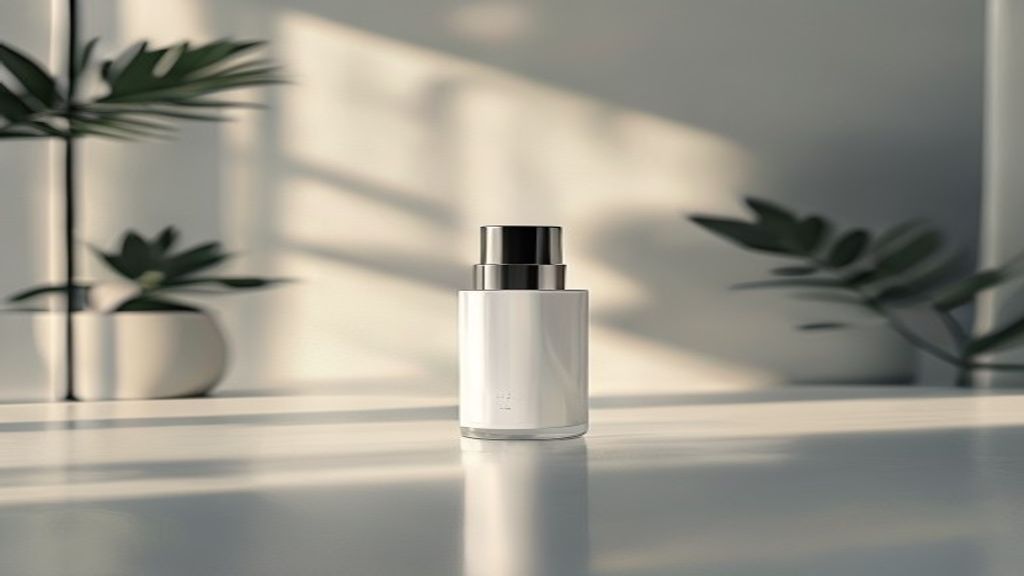
Canva’s AI background generator operates by understanding the context of your product image and then generating a new, relevant background that complements it. It’s an essential feature for anyone looking to enhance their product photography without expensive studio shoots. The process is intuitive, requiring just a few clicks to achieve impressive results.
Understanding the Canva AI Background Generator Workflow
To effectively use the Canva AI background generator for product photos tutorial, start by uploading your product image to Canva. Once uploaded, navigate to the Magic Studio tools and select the background generation feature. You will then be prompted to describe the desired background using natural language. For instance, “a rustic wooden table in a sunlit cafe” or “a sleek, futuristic laboratory setting.” The AI then processes this input and presents several background options.
Users can refine their prompts to achieve specific aesthetics, experimenting with different styles, colors, and textures. This iterative process ensures that the generated background perfectly aligns with your brand’s visual identity and the product’s narrative. The AI is designed to understand nuances, making it possible to create highly customized scenes.
Tips for Crafting Effective AI Background Prompts
Crafting effective prompts is key to maximizing the potential of the Canva AI background generator. Be specific and descriptive, focusing on elements like lighting, environment, and mood. Instead of “a room,” try “a brightly lit Scandinavian living room with a potted plant.” Consider the product’s material and purpose when choosing a background. A tech gadget might benefit from a modern, clean background, while a handmade item could shine against a natural, textured backdrop.
* Specify Lighting: “Soft natural light,” “dramatic studio lighting,” “golden hour glow.”
* Describe Environment: “Minimalist white studio,” “lush tropical garden,” “urban cityscape at night.”
* Indicate Mood/Style: “Cozy and warm,” “sleek and professional,” “vibrant and energetic.”
Integrating Generated Backgrounds with Your Product
Once a suitable background is generated, Canva’s AI ensures the product integrates seamlessly. The tool automatically adjusts lighting and shadows to match the new environment, creating a cohesive and realistic composite image. This attention to detail is crucial for maintaining a professional appearance. You can then further refine the image using Canva’s standard editing tools, such as adjusting brightness, contrast, and saturation, to achieve perfection. This integration makes the Canva AI Magic Studio for product photography and design an indispensable asset for visual content creators.
Mastering Canva Magic Grab for Isolating Products from Background Photos
Canva Magic Grab for isolating products from background photos is a groundbreaking AI feature that allows users to effortlessly select and separate individual objects or subjects from their existing backgrounds. This tool goes beyond simple background removal, offering precise isolation that maintains intricate details, making it invaluable for creating clean product cutouts for e-commerce listings, catalogs, and marketing materials. It accurately identifies the main subject, even against complex or busy backdrops.
Magic Grab works by leveraging advanced AI algorithms to distinguish the foreground subject from the background with remarkable accuracy. This means you no longer need to spend hours manually tracing outlines or dealing with jagged edges. The result is a professional-grade cutout that can be easily placed onto new backgrounds, used in collages, or integrated into various design projects. The efficiency of Magic Grab significantly speeds up the design workflow.
Step-by-Step Guide to Using Canva Magic Grab
To utilize Canva Magic Grab for isolating products from background photos, upload your image to the Canva editor. Select the image, then navigate to the ‘Edit photo’ options. Look for the ‘Magic Grab’ tool within the Magic Studio suite. With a single click, the AI will analyze your image and automatically identify and separate the main product or subject. The isolated object can then be moved, resized, or placed onto a new canvas or background.
This functionality is particularly useful when you have a product shot that needs to be repurposed across different marketing channels. Instead of reshooting, Magic Grab provides a quick and effective solution. It ensures consistency in your product imagery, which is vital for brand recognition and customer trust.
Refining Selections and Handling Complex Objects
While Magic Grab is highly accurate, some complex images might require minor adjustments. Canva provides intuitive tools for refining selections, allowing users to add or remove parts of the selection with brushes. This ensures that even products with intricate details, such as delicate jewelry or items with transparent elements, can be perfectly isolated. The ability to fine-tune the selection ensures professional results every time.
* Refinement Brushes: Use the ‘restore’ or ‘erase’ brushes to fine-tune the edges of your selection.
* Zoom In: Zoom in closely to accurately adjust intricate details and ensure a clean cut.
* Preview: Always preview your isolated product against a contrasting background to spot any missed areas.
Creative Applications of Isolated Products in Design
Once a product is isolated using Canva Magic Grab for isolating products from background photos, the creative possibilities are endless. You can place the product onto a solid color background for a clean e-commerce listing, or integrate it into a generated scene using the AI background generator. This allows for dynamic visual storytelling, placing your product in contexts that highlight its features and benefits. For those looking to quickly create images for diverse marketing needs, this feature is a game-changer. The ability to easily manipulate isolated elements also aids in creating compelling ad creatives and social media posts.
Designing with Canva AI Product Photo Templates for Social Media and Ads
Canva AI product photo templates for social media and ads provide a powerful shortcut for creating visually stunning and effective marketing materials. These templates are pre-designed layouts optimized for various platforms, incorporating best practices for engagement and conversion. With the integration of AI, these templates become even more dynamic, allowing for quick customization and adaptation to specific product visuals. For more insights, check out our guide on AI image.
These templates are not just static designs; they are intelligent frameworks that can be populated with your product images, often leveraging AI to automatically adjust sizing, placement, and even suggest complementary design elements. This significantly reduces the time and effort required to produce high-quality ad creatives and social media posts, making professional design accessible to businesses of all sizes.
Leveraging AI Templates for Diverse Social Media Platforms
Canva offers a vast library of Canva AI product photo templates for social media and ads, tailored for platforms like Instagram, Facebook, Pinterest, and TikTok. Each template is designed with the platform’s specific dimensions and audience engagement patterns in mind. For example, Instagram story templates might emphasize vertical layouts and interactive elements, while Facebook ad templates could focus on clear calls to action and product highlights.
When you upload your product image, the AI within Canva can suggest templates that best showcase your item, or it can automatically fit your product into a chosen template. This intelligent assistance ensures that your product always looks its best, regardless of the template chosen. The goal is to maximize visual impact and encourage user interaction.
Customizing AI-Powered Product Ad Templates
Customization is at the heart of Canva’s template system. While the AI provides a strong starting point, users have complete control over every element. You can easily change colors, fonts, text, and add additional graphics or branding elements to align with your brand guidelines. The AI can also suggest color palettes that complement your product image, ensuring visual harmony.
* Brand Kit Integration: Apply your brand’s fonts, colors, and logos with a single click.
* Text and Typography: Experiment with different headlines and body text to optimize your message.
* Graphic Elements: Add icons, shapes, or illustrations to enhance the visual appeal and convey information.
* Call to Action (CTA): Integrate clear and compelling CTAs to guide user behavior.
Optimizing Product Templates for Advertising Effectiveness
Beyond aesthetics, Canva AI product photo templates for social media and ads are designed with advertising effectiveness in mind. Many templates incorporate elements known to drive conversions, such as clear product showcases, benefit-driven headlines, and prominent calls to action. The AI can even help in A/B testing different template variations by suggesting minor tweaks that could improve performance.
By using these AI-enhanced templates, businesses can create consistent and professional-looking ad campaigns across multiple channels. This not only saves time but also ensures a cohesive brand presence, which is crucial for building trust and recognition among target audiences. The intelligent design assistance helps in creating ads that resonate with potential customers.
Canva AI vs Photoroom: A Detailed Comparison for Ecommerce Product Image Editing
When it comes to Canva AI vs Photoroom for ecommerce product image editing, both platforms offer robust AI-powered tools designed to simplify the creation of professional product visuals. However, they cater to slightly different user needs and boast distinct strengths. Canva’s AI Magic Studio provides a broader design ecosystem with extensive template libraries and general graphic design capabilities, while Photoroom often specializes more acutely in rapid, high-volume product photo editing and background removal.
Canva excels as an all-in-one design platform, making it ideal for users who need to not only edit product photos but also create social media posts, ads, presentations, and more within a single interface. Photoroom, on the other hand, is often preferred by users whose primary focus is quick and efficient background removal and basic product photo enhancement, especially on mobile devices.
Feature Comparison: Canva AI Magic Studio vs. Photoroom
Let’s delve into a comparative look at key features relevant to e-commerce product image editing:
| Feature | Canva AI Magic Studio | Photoroom |
|---|---|---|
| Primary Focus | All-in-one design, broad content creation | Dedicated product photo editing, background removal |
| Background Removal | Magic Grab (highly accurate, object isolation) | Excellent, often considered industry-leading for speed and precision |
| AI Background Generation | Yes, text-to-image AI for scene creation | Yes, AI background generation with templates and custom prompts |
| Templates | Extensive library for diverse design needs (social, ads, print) | Specialized templates for product photos (e.g., e-commerce marketplaces) |
| Text & Graphics | Comprehensive text editing, vast graphic library, branding tools | Basic text and graphic overlays, focused on product presentation |
| Ease of Use | Highly intuitive, beginner-friendly interface | Extremely user-friendly, especially for quick edits |
| Platform Availability | Web, Desktop App, Mobile Apps | Web, Mobile Apps (strong mobile focus) |
| Pricing Model | Free tier, Pro subscription for advanced features | Free tier, Pro subscription for advanced features |
Workflow and Integration for Ecommerce
For e-commerce businesses, the choice between Canva AI vs Photoroom for ecommerce product image editing often comes down to workflow and existing toolsets. If you’re already using Canva for other marketing materials, integrating product photo editing within the same platform offers a seamless experience. Canva’s ability to generate entire ad creatives, social media posts, and even website banners alongside product photos can be a significant advantage.
Photoroom, with its strong mobile focus and rapid processing, is excellent for businesses that need to quickly process a large volume of product shots, perhaps directly from a smartphone. Its specialized product-centric templates can also accelerate listing creation for platforms like Etsy, Shopify, or Amazon. Both tools offer powerful AI capabilities, but their best applications differ based on the user’s overall design ecosystem and specific needs.
Making the Right Choice for Your Business
Ultimately, the “better” tool depends on your specific requirements. If you need a comprehensive design suite that handles everything from product photos to full marketing campaigns, Canva AI Magic Studio is likely the more versatile choice. However, if your primary need is lightning-fast, high-quality product photo background removal and basic editing, especially on the go, Photoroom might be more efficient. Many businesses find value in using both, leveraging Photoroom for initial product image cleanup and then importing into Canva for broader design integration.
Optimizing Product Visuals with Canva AI Magic Studio Features
Optimizing product visuals with Canva AI Magic Studio for product photography and design involves leveraging its suite of intelligent tools to enhance clarity, appeal, and consistency. Beyond background generation and object isolation, Canva’s AI offers features that streamline the entire visual creation process, from initial concept to final publication. These tools are designed to ensure your product images stand out in a crowded marketplace, capturing customer attention and driving engagement.
The goal of optimization is not just to make images look good, but to make them perform better in terms of marketing and sales. Canva’s AI assists in achieving this by providing smart editing capabilities, content suggestions, and design recommendations. This means less time spent on manual adjustments and more time focusing on creative strategy.
Enhancing Product Details with AI-Powered Editing
Canva AI Magic Studio includes various AI-powered editing features that can subtly enhance product details. Tools like Magic Edit allow users to make targeted adjustments, such as changing the color of a specific element on a product or removing minor imperfections without affecting the rest of the image. This precision editing ensures that your product is presented in its best light, highlighting its key features and quality.
* Magic Edit: Select an area and describe what you want to change or add, and the AI will generate options.
* Auto Enhance: Automatically adjusts brightness, contrast, and saturation for optimal visual appeal.
* Color Palette Generator: Extracts colors from your product image to create a harmonious design palette.
These enhancements are crucial for e-commerce, where high-quality, detailed product images can significantly influence purchasing decisions. By making products look more appealing and accurate, businesses can build trust with their customers.
Streamlining Content Creation with AI-Driven Workflows
The integration of AI throughout Canva’s Magic Studio creates a highly efficient workflow for product visual creation. From generating initial concepts to finalizing designs, AI assists at every step. This includes intelligent resizing for different platforms, automatic content suggestions for text overlays, and even recommendations for complementary graphics. The entire process becomes less about manual labor and more about creative direction.
For example, after using Canva Magic Grab for isolating products from background photos, you can immediately use the AI background generator to place the product into a new scene. Then, you can apply an AI-powered template for a social media ad, and finally, use Magic Edit for any last-minute tweaks. This seamless flow saves considerable time and resources, allowing for quicker iteration and deployment of marketing campaigns.
Maintaining Brand Consistency Across All Product Visuals
Consistency is paramount for brand identity, and Canva AI Magic Studio helps maintain this across all your product visuals. By utilizing brand kits, which store your brand’s specific fonts, colors, and logos, and combining them with AI-driven templates, you can ensure every product image and associated design element aligns perfectly with your brand guidelines. The AI can even detect inconsistencies and suggest corrections, ensuring a cohesive look and feel.
This consistent visual language helps in building brand recognition and trust among consumers. Whether it’s an image for an e-commerce listing, a social media post, or a banner ad, Canva AI Magic Studio for product photography and design ensures that your brand’s message is communicated clearly and professionally. The AI acts as a smart assistant, guiding you toward designs that reinforce your brand’s presence.
What is Canva AI Magic Studio for product photography?
Canva AI Magic Studio for product photography is a suite of AI-powered tools within Canva designed to simplify and enhance the creation of product visuals. It includes features like AI background generation, object isolation (Magic Grab), and intelligent templates, enabling users to produce professional-grade product images quickly and efficiently. It aims to democratize high-quality visual content creation for e-commerce and marketing.
How does Canva AI background generator work for product photos?
The Canva AI background generator allows users to replace existing product photo backgrounds with new, AI-generated scenes based on text prompts. You upload your product image, describe the desired background (e.g., “a cozy cafe interior”), and the AI creates realistic options. It automatically integrates the product into the new scene, adjusting lighting and shadows for a natural look.
Can I isolate products from busy backgrounds using Canva AI?
Yes, Canva’s Magic Grab tool is specifically designed for isolating products from busy backgrounds. With a single click, it uses AI to accurately detect and separate the main subject from its background, even with complex details. This allows you to easily place your product onto new backgrounds or use it in other design compositions without manual tracing.
Are there templates for product photos on social media and ads in Canva AI?
Absolutely. Canva AI offers a vast array of product photo templates specifically optimized for various social media platforms and advertising campaigns. These templates are AI-enhanced, meaning they can intelligently adapt to your product images, suggesting ideal layouts, text placements, and design elements to maximize engagement and advertising effectiveness.
How does Canva AI compare to Photoroom for e-commerce image editing?
Canva AI provides a comprehensive design ecosystem, ideal for users needing a broad range of design tools beyond just product photos. Photoroom specializes more in rapid, high-volume product photo editing, particularly background removal, often with a strong mobile focus. While both use AI for similar tasks, Canva offers more general design versatility, while Photoroom excels in specialized product photo efficiency.
Is Canva AI Magic Studio suitable for small businesses without design experience?
Yes, Canva AI Magic Studio is highly suitable for small businesses and individuals without extensive design experience. Its intuitive interface, AI-powered automation, and extensive template library make professional-grade design accessible. The AI features simplify complex tasks like background removal and scene generation, allowing users to create compelling product visuals with minimal effort and learning curve.
The Canva AI Magic Studio for product photography and design represents a significant leap forward for visual content creation. Its integrated suite of AI tools empowers businesses and individuals to produce stunning product visuals with unprecedented ease and efficiency. From generating bespoke backgrounds to isolating intricate product details, Canva’s AI capabilities are reshaping how we approach e-commerce imagery, social media marketing, and advertising creatives.
Key takeaways from exploring Canva’s AI Magic Studio include:
* Efficiency: AI significantly reduces the time and effort traditionally required for product photography and design tasks.
* Accessibility: Professional-grade visual content creation is now within reach for users of all skill levels.
* Versatility: Tools like the AI background generator and Magic Grab offer endless creative possibilities for showcasing products.
* Integration: A seamless workflow allows users to move from photo editing to full design creation within a single platform.
* Impact: High-quality, consistent product visuals created with AI tools can drive greater engagement and sales.
Embrace the power of Canva AI Magic Studio for product photography and design to elevate your brand’s visual presence and captivate your audience. Start exploring its magic today to transform your product imagery and streamline your creative workflow.