

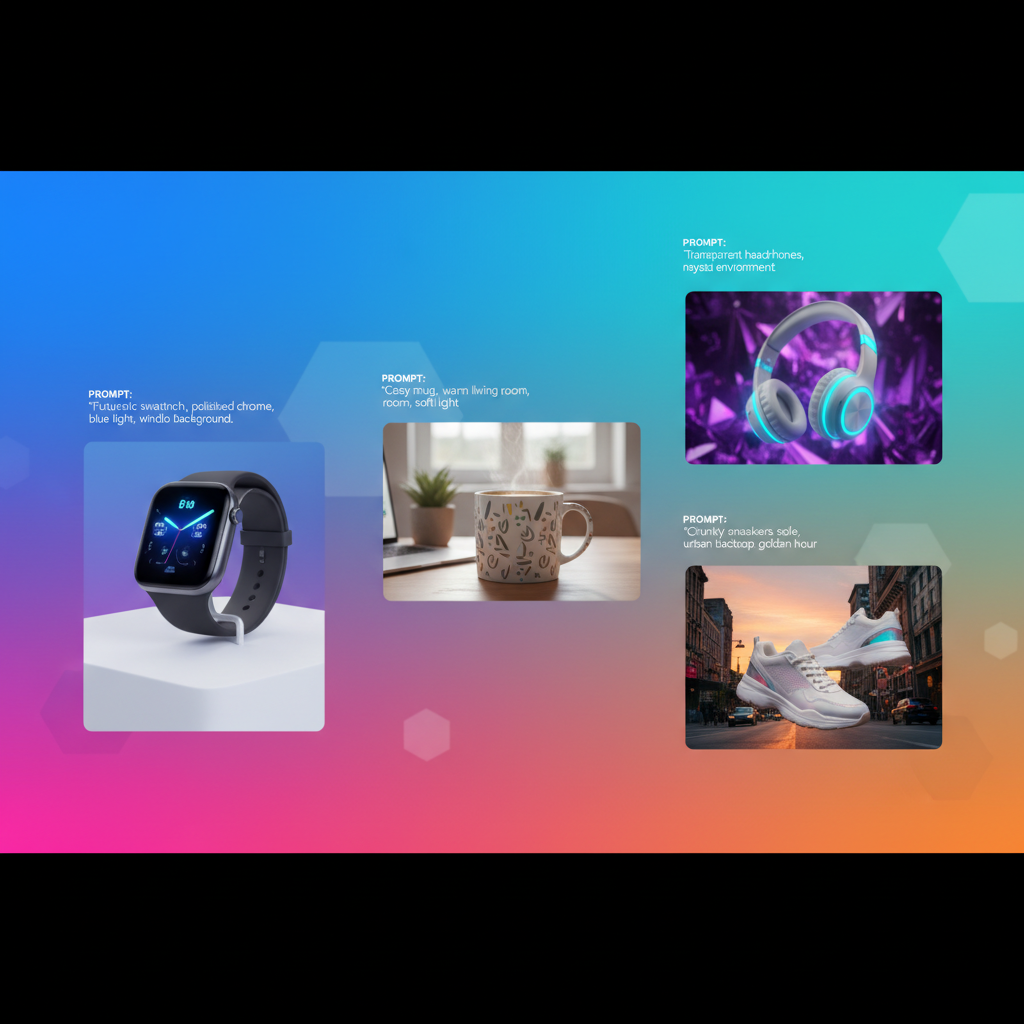
AI Product Image Prompt Examples for Beginners
Learning AI product image prompt examples for beginners is crucial for anyone looking to enhance their online store’s visual appeal without extensive photography costs. Artificial intelligence image generators offer a powerful way to create stunning visuals for your products, from simple studio shots to complex lifestyle scenes. Understanding how to craft effective prompts allows even small businesses to produce high-quality, engaging product photography. This guide will walk you through various AI prompts, helping you generate professional-grade images that capture customer attention and drive sales. Mastering these techniques will significantly elevate your e-commerce presence.
Crafting Basic Prompts for Clean Backgrounds
The simplest way to achieve professional-looking product photos with AI is by using AI prompts to create white background product photos or other clean, minimalist settings. These prompts focus on isolating your product, making it the sole focal point and ideal for e-commerce listings where consistency and clarity are paramount. A clean background ensures your product stands out without distractions. For more insights, check out our guide on AI image.
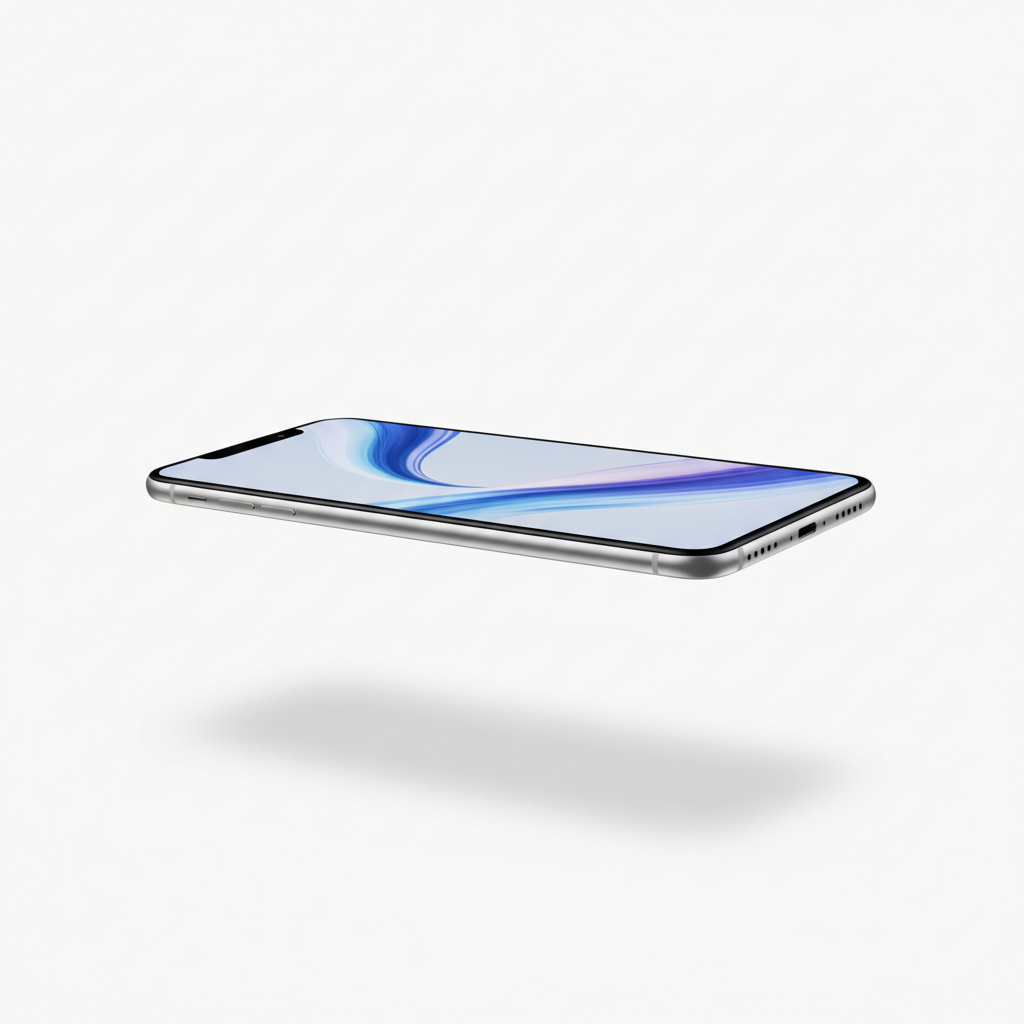
When generating basic product images, start with a clear description of your item. Add details about the background and lighting to achieve a professional studio look. For example, specify “white background” or “seamless gray backdrop” to guide the AI. You can also include keywords like “studio lighting” or “softbox lighting” to ensure optimal illumination.
How to Generate White Background Product Photos with AI
To generate white background product photos with AI, begin by clearly stating the product and then explicitly request a white or neutral background. This ensures the AI focuses on isolating the item. Using terms like “studio shot,” “e-commerce photography,” and “high resolution” further refines the output, making it suitable for online retail.
Here are some effective prompt structures:
* `[Product Name], studio shot, white background, soft lighting, high detail, e-commerce.`
* `A [Product Type] on a seamless pure white background, professional product photography.`
* `Isolated [Product Description] against a clean light gray backdrop, sharp focus.`
Consider adding specific camera angles or lens types if you have a particular aesthetic in mind. For instance, “eye-level shot” or “macro lens” can yield different perspectives.
Best Practices for Clean Background Prompts
For the best results with clean background prompts, keep your descriptions concise but comprehensive. Avoid overly complex scene descriptions that might confuse the AI. Focus on the product, its key features, and the desired background color.
* Be Specific: Instead of “shoe,” use “red leather high-top sneaker.”
* Specify Background: Always include “white background,” “black background,” or “seamless studio backdrop.”
* Lighting Cues: Add “soft studio lighting,” “even illumination,” or “no harsh shadows.”
* Quality Keywords: Use “high resolution,” “sharp focus,” “professional photography,” or “e-commerce ready.”
| Prompt Component | Example Keywords | Impact on Image |
|---|---|---|
| Product Description | “vintage silver watch,” “organic cotton t-shirt” | Defines the item precisely |
| Background | “pure white background,” “minimalist gray backdrop” | Sets the scene, eliminates distractions |
| Lighting | “softbox lighting,” “bright studio light” | Controls illumination and shadows |
| Style/Quality | “high resolution,” “photorealistic,” “sharp focus” | Ensures professional output quality |
By following these guidelines, you can consistently generate high-quality product images with clean backgrounds, perfect for any online store.
Generating Realistic Lifestyle Product Photos with AI
Creating AI prompts for realistic ecommerce lifestyle images allows businesses to showcase products in a relatable context, helping customers visualize themselves using the item. Lifestyle images are crucial for building emotional connections and demonstrating practical use cases, moving beyond simple product isolation. These visuals can significantly boost engagement and conversion rates by telling a story around your product.
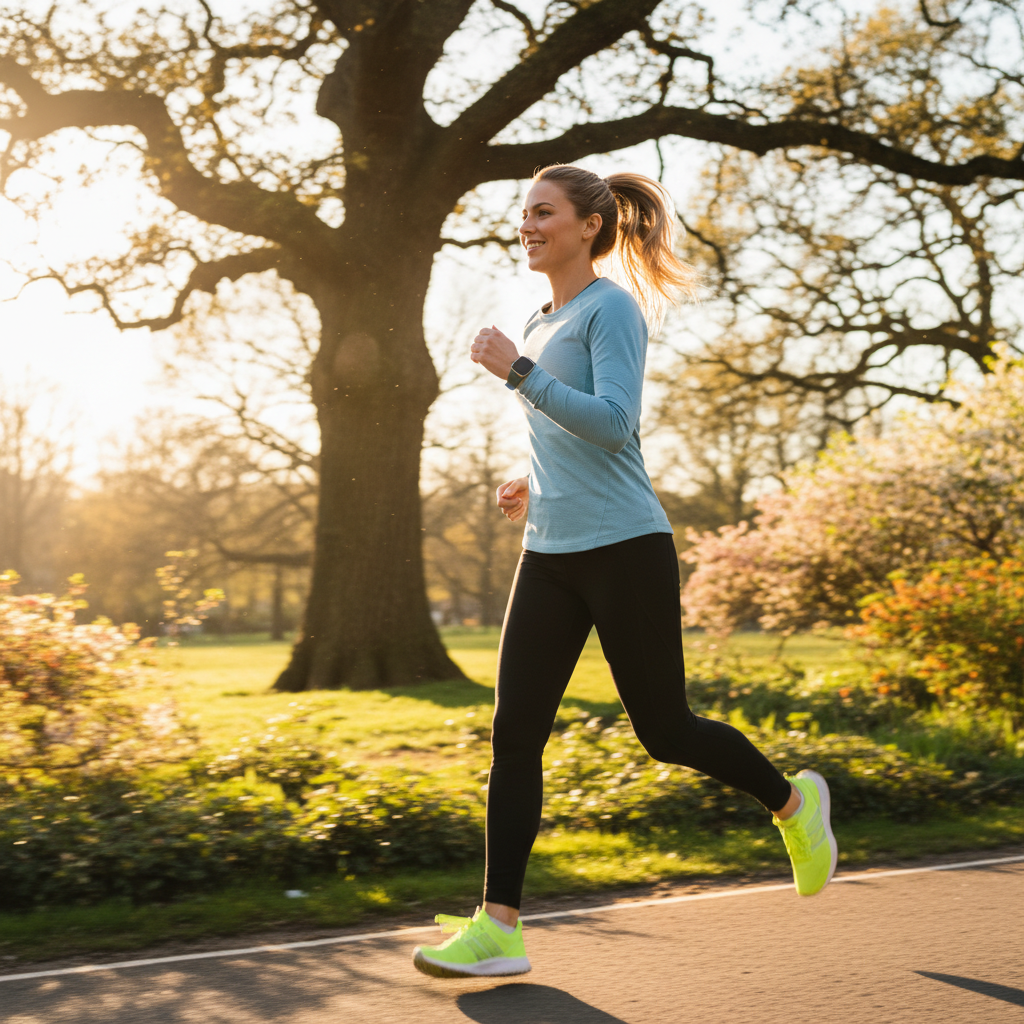
When crafting lifestyle prompts, think about the environment, the models (if any), and the overall mood you want to convey. Describe the scene as if you were setting up a real photo shoot. This involves detailing the setting, the actions, and the emotions involved.
Crafting Prompts for Engaging Lifestyle Scenes
To craft prompts for engaging lifestyle scenes, focus on describing the entire scenario rather than just the product. Include details about the setting, the people interacting with the product, and the overall atmosphere. This helps the AI create a cohesive and believable image.
Consider these elements:
* Product in Use: `A [Product Name] being used by a [Person Type] in a [Setting].`
* Emotional Connection: `[Product Name] bringing joy to a [Person Type] in a [Setting].`
* Specific Activity: `[Product Name] on a table in a cozy cafe, a person reading nearby.`
For example, instead of “coffee mug,” try `A ceramic coffee mug filled with steaming coffee, sitting on a rustic wooden table next to a window overlooking a rainy city street, a person’s hands gently warming around it.` The more descriptive you are, the more realistic and evocative the AI-generated image will be. Leveraging an AI image generator effectively means painting a vivid picture with your words.
Tips for Achieving Realistic AI Lifestyle Images
Achieving realistic AI lifestyle images requires attention to detail in your prompts, focusing on authenticity and natural interactions. Avoid overly generic descriptions; instead, aim for specifics that bring the scene to life.
* Specify Models: `A young woman with blonde hair, smiling, holding the product.`
* Environmental Details: `Sunlight streaming through a window, a bustling city street, a serene mountain trail.`
* Actions and Interactions: `Person laughing while using the product, product resting on a desk with a laptop open.`
* Time of Day/Weather: `Golden hour light, overcast day, bright sunny afternoon.`
* Photographic Style: `Candid shot, shallow depth of field, natural light photography.`
Here’s an example of a detailed lifestyle prompt:
`A comfortable living room scene, a young couple laughing on a sofa, one holding a new [Board Game Product]. Warm, soft lighting from a floor lamp, cozy atmosphere, focus on the couple and the game, photorealistic, shallow depth of field.`
By incorporating these detailed elements, you guide the AI to produce images that feel authentic and resonate with your target audience, effectively showcasing your product’s benefits in a real-world context.
Optimizing AI Prompts for Specific Product Types
Optimizing AI prompts for specific product types involves tailoring your descriptions to highlight the unique features and selling points of different items, ensuring the AI captures their essence accurately. Whether you’re selling fashion, electronics, food, or furniture, the best product photography prompts for AI image generators will vary significantly. Understanding these nuances helps in generating highly relevant and appealing visuals.
For instance, clothing items might require prompts emphasizing texture, drape, and fit, while electronics benefit from showcasing sleek design and functional interfaces. Food products demand appetizing presentations, focusing on freshness and culinary appeal.
Tailoring Prompts for Fashion and Apparel
When tailoring prompts for fashion and apparel, focus on how the garment looks on a model, its texture, and its movement. Describe the fabric, cut, and any unique details.
Consider these prompt elements:
* Model Description: `Female model, athletic build, posing confidently.`
* Garment Details: `Flowy silk dress, distressed denim jacket, tailored wool suit.`
* Action/Pose: `Model walking, garment draped elegantly, close-up of fabric texture.`
* Setting: `Urban street style, minimalist studio, natural outdoor setting.`
* Lighting: `Soft natural light, dramatic shadows.`
Example: `A male model wearing a slim-fit navy suit, standing confidently in a modern city loft. The suit fabric shows subtle texture. Professional fashion photography, sophisticated atmosphere, natural light.`
Enhancing Prompts for Electronics and Gadgets
Enhancing prompts for electronics and gadgets requires emphasizing their sleek design, functionality, and often, their technological sophistication. Focus on clean lines, reflective surfaces, and user interfaces.
Key prompt components:
* Product Design: `Sleek metallic finish, ergonomic design, minimalist aesthetic.`
* Functionality: `Screen displaying vibrant graphics, glowing LED indicators, charging wirelessly.`
* Context of Use: `On a modern desk with a keyboard, held by hands, integrated into a smart home.`
* Lighting: `High-tech studio lighting, subtle reflections, ambient glow.`
Example: `A new generation smartwatch with a bright, customizable display, resting on a polished wooden desk next to a charging pad. Subtle reflections on its screen, minimalist background, high-tech product photography.` An effective image generator can bring these technical details to life.
Creating Appetizing Prompts for Food and Beverages
Creating appetizing prompts for food and beverages means focusing on freshness, texture, color, and presentation. The goal is to make the food look irresistible and delicious.
Essential prompt elements:
* Food Description: `Freshly baked sourdough bread, vibrant fruit salad, steaming gourmet pasta.`
* Plating/Presentation: `Artfully arranged on a ceramic plate, rustic wooden board, garnished with fresh herbs.`
* Context: `On a cafe table, home kitchen counter, picnic blanket.`
* Lighting: `Warm natural light, soft overhead lighting, bokeh background.`
* Sensory Details: `Steam rising, glistening sauce, crispy crust.`
Example: `A close-up shot of a gourmet cheeseburger, perfectly grilled patty, melted cheddar, fresh lettuce, and ripe tomato, served on a toasted brioche bun. Rustic wooden board, shallow depth of field, warm natural light, highly appetizing.`
By customizing your prompts to these product categories, you can ensure the AI generates images that truly resonate with your specific market and product type.
Best Product Photography Prompts for AI Image Generators
The best product photography prompts for AI image generators combine descriptive adjectives, specific settings, and desired photographic styles to produce compelling visuals. These prompts go beyond basic descriptions, incorporating elements that guide the AI toward a professional and aesthetically pleasing outcome. Effective prompting is an art that balances detail with clarity, enabling the AI to interpret your vision accurately.
To get the most out of your AI image generator, think like a photographer or art director. What kind of lens would you use? What’s the lighting setup? What’s the mood? Including these details significantly improves the quality of the generated images.
Advanced Prompting Techniques for Professional Results
Advanced prompting techniques for professional results involve using modifiers, camera settings, and artistic styles to refine the AI’s output. These techniques allow for greater control over the final image’s aesthetic.
Consider incorporating:
* Camera Type/Lens: `Shot on a Canon R5, 85mm f/1.4 lens, macro photography.`
* Lighting Conditions: `Golden hour lighting, dramatic chiaroscuro, high-key lighting.`
* Artistic Styles: `Cinematic, minimalist, hyperrealistic, editorial photography.`
* Composition: `Rule of thirds, symmetrical composition, leading lines.`
* Negative Prompts: `(avoid blurry, low resolution, ugly, distorted).`
Example: `A luxury leather handbag, shot on a Hasselblad X1D, 50mm lens, in a minimalist, sunlit studio with soft shadows. High resolution, elegant, editorial style. –no blurry, low quality.`
Utilizing Keywords for Enhanced Product Detail
Utilizing keywords for enhanced product detail helps the AI understand the intricate characteristics of your item, leading to more accurate and visually rich representations. Be specific about materials, textures, and unique features.
* Materials: `Brushed aluminum, polished chrome, distressed wood, woven linen.`
* Textures: `Smooth, rough, glossy, matte, pebbled, soft.`
* Colors/Finishes: `Deep emerald green, rose gold metallic, frosted glass.`
* Size/Shape: `Compact, oversized, cylindrical, ergonomic.`
* Brand Aesthetic: `Modern, vintage, bohemian, industrial.`
Example: `A sleek, matte black wireless earbud case, smooth finish, resting on a textured concrete surface. Minimalist design, sharp focus, professional product shot.` The ability to create images with such precision is a game-changer for e-commerce.
By combining detailed product descriptions with advanced photographic and stylistic cues, you can guide AI image generators to produce truly professional and impactful product photography that rivals traditional methods.
Copy-Paste AI Product Photo Prompts for Small Businesses
For small businesses, having copy paste AI product photo prompts for small businesses is an invaluable resource, offering a quick and efficient way to generate high-quality visuals without extensive prompt engineering knowledge. These pre-designed prompts provide a solid foundation, allowing you to simply insert your product details and achieve professional results rapidly. This efficiency saves time and resources, making professional photography accessible.
These prompts are designed to be versatile and adaptable, covering common e-commerce needs from clean studio shots to engaging lifestyle scenarios. They serve as excellent starting points for beginners.
Ready-to-Use Prompts for Various Product Categories
Here are some ready-to-use prompts for various product categories that small businesses can adapt:
For Apparel:
* `A [Color] [Type of Clothing, e.g., t-shirt] on a minimalist mannequin, white background, soft studio lighting, high resolution, e-commerce ready.`
* `[Product Name, e.g., denim jacket] worn by a diverse model, casual urban setting, natural light, realistic, fashion photography.`
For Jewelry/Accessories:
* `A [Material, e.g., silver] [Type of Jewelry, e.g., pendant necklace] with [Gemstone, e.g., blue sapphire], close-up shot, dark velvet background, elegant lighting, macro photography.`
* `[Product Name, e.g., leather wallet] held in a hand, showing texture and craftsmanship, subtle background, soft focus, professional.`
For Home Goods:
* `A [Product Name, e.g., ceramic mug] on a wooden kitchen counter, steam rising, cozy morning light, inviting atmosphere, product photography.`
* `[Product Name, e.g., scented candle] burning gently, warm glow, minimalist shelf setting, soft focus background, hygge aesthetic.`
For Beauty Products:
* `A [Product Name, e.g., serum bottle] with its ingredients subtly blurred in the background, clean white surface, bright studio lighting, beauty product photography.`
* `[Product Name, e.g., lipstick] swatched on skin, focus on color and texture, elegant, soft light.`
Customizing Copy-Paste Prompts for Unique Products
Customizing copy-paste prompts for unique products involves replacing placeholders with specific details about your item and adding unique selling points. This ensures the generic prompt becomes tailored to your brand.
Follow these steps for customization:
1. Identify Placeholders: Look for bracketed text like `[Product Name]`, `[Color]`, `[Setting]`.
2. Insert Your Details: Replace these with precise descriptions of your product.
3. Add Specific Features: Include unique selling points (e.g., “handmade,” “eco-friendly,” “waterproof”).
4. Refine Adjectives: Change generic adjectives to more evocative ones (e.g., “beautiful” to “exquisite,” “nice” to “luxurious”).
5. Adjust Style: Modify lighting, background, or photographic style to match your brand’s aesthetic.
Example of customization:
* Original Prompt: `A [Product Name] on a white background, studio lighting, high resolution.`
* Customized Prompt: `A handmade organic lavender soap bar, rustic texture, on a pure white background with a single lavender sprig, bright studio lighting, professional e-commerce photography, high resolution.`
By effectively using and customizing these copy-paste AI product image prompt examples for beginners, small businesses can quickly generate a wide array of professional product photos, elevating their online presence without significant investment in traditional photography.
Troubleshooting Common AI Product Image Prompt Issues
Troubleshooting common AI product image prompt issues is an essential skill for beginners, allowing you to refine your prompts and achieve desired results when initial attempts fall short. Issues like distorted products, inconsistent backgrounds, or unnatural lighting can often be resolved by understanding how AI interprets prompts and making targeted adjustments. Effective troubleshooting ensures you get the most out of your AI image generator.
Common problems include images that don’t match your vision, objects appearing incorrectly, or a lack of realism. Learning to identify and fix these issues will save you time and improve your output quality.
Diagnosing and Fixing Distorted or Unrealistic Images
Diagnosing and fixing distorted or unrealistic images often involves refining your prompt’s clarity, adding negative prompts, and experimenting with different AI models or settings. AI can sometimes struggle with complex geometries or specific details.
Here’s how to address these issues:
* Be More Specific: If a product looks generic, add more detailed descriptors (e.g., “vintage brass lamp” instead of “lamp”).
Use Negative Prompts: Explicitly tell the AI what not* to include or generate.
* `–no distorted, blurry, extra limbs, ugly, low quality, bad anatomy, deformed.`
* Simplify: Sometimes, overly complex prompts can confuse the AI. Try breaking down your request into simpler components.
* Adjust Parameters: Many AI tools have parameters like “style strength” or “chaos.” Experiment with these to see if they improve realism.
* Check Model Choice: Different AI models excel at different types of images. Ensure you’re using a model known for photorealism if that’s your goal.
For example, if a “handbag” prompt results in an odd-shaped bag, try: `A structured leather handbag, clear shape, smooth stitching, professional product photography. –no deformed, squashed, distorted.`
Achieving Consistent Backgrounds and Lighting
Achieving consistent backgrounds and lighting across multiple product images is vital for a cohesive brand aesthetic, especially for e-commerce stores. Inconsistencies can make your store look unprofessional.
To maintain consistency:
* Standardize Your Prompts: Use the exact same background and lighting descriptors for all similar products.
* `pure white seamless background, soft studio lighting, even illumination.`
* Create a Template: Develop a base prompt that you copy and paste, only changing the product description.
* Specify Light Source: `Overhead softbox light, natural daylight from a large window.`
* Define Shadow Quality: `Subtle shadows, no harsh shadows, soft diffused light.`
* Utilize Seed Numbers (if available): Some AI generators allow you to use a “seed” number to maintain a similar style or composition across multiple generations.
If you’re getting varied backgrounds, ensure your prompt is explicit: `A [product] on a pure white background. NOT off-white, NOT gray, PURE WHITE.` Similarly, for lighting: `Bright, even studio lighting. NO dark spots, NO harsh shadows.` By systematically addressing these common issues, you can significantly improve the quality and consistency of your AI-generated product images.
What are AI product image prompts?
AI product image prompts are textual descriptions provided to an artificial intelligence image generator to create visual representations of products. These prompts guide the AI on product details, background, lighting, and style, allowing for the generation of custom product photography without physical photo shoots. They are essential for directing the AI’s creative process.
How do I start creating AI product images?
To start creating AI product images, choose an AI image generator (e.g., Midjourney, DALL-E, Stable Diffusion). Then, begin with simple, descriptive prompts detailing your product, desired background (like white), and lighting. Gradually add more specific details about style, camera angles, and atmosphere as you become more comfortable with the process and the AI’s capabilities.
Can AI generate realistic lifestyle product photos?
Yes, AI can generate highly realistic lifestyle product photos. This requires more detailed prompts that describe the scene, environment, models, activities, and emotional tone. By providing rich contextual information, AI can create images that show products in use, helping customers visualize themselves with the item and fostering a stronger connection.
Are there free AI tools for product image generation?
Yes, there are several free AI tools and platforms that offer product image generation, often with limitations on daily usage or features. Examples include simplified versions of DALL-E, Stable Diffusion, or various online generators. These free options are excellent for beginners to experiment with and understand the basics of AI prompting before committing to paid services.
What makes a good AI product image prompt?
A good AI product image prompt is clear, specific, and descriptive. It includes details about the product itself, the desired background, lighting conditions, photographic style, and any specific emotions or actions. Using keywords that define material, texture, color, and camera settings significantly improves the AI’s ability to generate accurate and high-quality images.
How can small businesses benefit from AI product images?
Small businesses can significantly benefit from AI product images by reducing photography costs and time. AI allows them to quickly generate diverse, high-quality visuals for e-commerce, social media, and marketing, even with limited budgets. This enables them to compete visually with larger brands, enhance their online presence, and attract more customers efficiently.
Learning the nuances of AI product image prompt examples for beginners is a powerful skill for modern e-commerce. By mastering prompt engineering, you unlock the ability to create stunning, professional-grade visuals for any product without the traditional costs and complexities of photography.
Key takeaways for your journey include:
* Start Simple: Begin with clear, concise prompts for basic studio shots, gradually adding complexity.
* Be Specific: Detail your product, desired background, lighting, and photographic style.
* Use Secondary Keywords: Incorporate terms like “AI prompts to create white background product photos” or “AI prompts for realistic ecommerce lifestyle images” to guide your content.
* Leverage Copy-Paste Prompts: Utilize ready-made prompts as a foundation, customizing them for your unique products.
* Troubleshoot Actively: Learn to refine prompts using negative keywords and parameter adjustments to fix common issues.
Embrace the power of AI to transform your product presentation. Experiment, learn, and watch your product visuals elevate to new heights, captivating your audience and driving your business forward.