


Adobe Firefly 4 For Product Photography And Creative Editing 2026
The landscape of digital content creation has been revolutionized by artificial intelligence, and Adobe Firefly stands at the forefront, especially for professionals in product photography and creative editing. This powerful suite of generative AI tools empowers photographers, marketers, and designers to dramatically enhance their workflows, from initial concept to final publication. By leveraging advanced AI capabilities, Adobe Firefly offers unprecedented speed, precision, and creative freedom, allowing users to produce stunning, high-quality product visuals with remarkable efficiency. It redefines how product images are captured, edited, and deployed across various platforms, ensuring consistency and visual appeal.
How Does Adobe Generative Fill Enhance Product Photo Background Replacement?
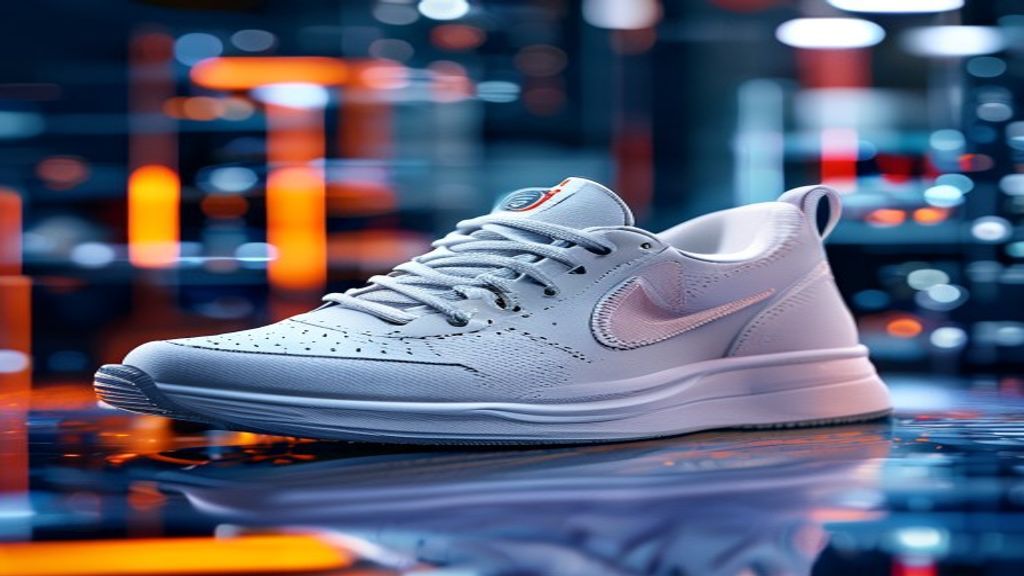
Adobe Generative Fill for product photo background replacement significantly streamlines the process of isolating products and creating entirely new, contextually relevant backdrops with remarkable ease and realism. This AI-powered feature allows users to select a product and then generate diverse backgrounds using simple text prompts, eliminating the need for complex masking or manual compositing. It intelligently understands the product’s lighting, shadows, and perspective, ensuring the newly generated background seamlessly integrates with the foreground object. This capability is crucial for e-commerce businesses that require a consistent look across their product catalog or need to quickly adapt images for different marketing campaigns.
Seamless Background Removal and Creation
Adobe Generative Fill excels at both removing existing backgrounds and creating new ones. Users can effortlessly highlight a product, and the AI will intelligently detect its edges, separating it from its original surroundings with high precision. Once isolated, the product can be placed onto any generated background, ranging from studio-style plain colors to elaborate environmental scenes. This process is far faster than traditional methods, which often involve meticulous manual selection and refinement. The AI can also fill in areas where the original background was, making it ideal for expanding canvases or adjusting aspect ratios without distortion. This capability transforms how product photographers approach shoots, reducing the need for elaborate physical sets.
Optimizing Backgrounds for E-commerce
For e-commerce, the visual consistency and appeal of product images are paramount. Adobe Generative Fill for product photo background replacement enables businesses to standardize their product photography backgrounds across thousands of items. This creates a cohesive brand experience and enhances the professional appearance of online stores. Furthermore, it allows for rapid A/B testing of different backgrounds to determine which ones resonate most with customers, potentially boosting conversion rates. Imagine instantly placing a product in a lifestyle setting, a minimalist studio, or a seasonal environment, all with a few clicks. This flexibility ensures products always look their best, regardless of the marketing channel.
How Does Adobe Firefly Structural Conditioning Ensure Consistent Product Shots?
Adobe Firefly structural conditioning for consistent product shots provides an innovative way to maintain uniformity across a series of product images by guiding the generative AI to adhere to specific spatial and compositional constraints. This feature allows users to input a reference image or a structural outline, which Firefly then uses as a blueprint for generating new images. Instead of creating entirely new compositions from scratch, the AI respects the underlying structure, pose, or layout of the reference, ensuring that product angles, lighting, and placement remain consistent even when generating variations or entirely new items within the same scene. This is invaluable for brands that demand strict visual guidelines for their entire product line.
Maintaining Brand Identity Across Images
Brand identity relies heavily on visual consistency, especially in product catalogs. Adobe Firefly structural conditioning helps uphold this by ensuring every product, whether new or existing, fits seamlessly into the brand’s established aesthetic. For instance, if a brand always photographs shoes at a specific 45-degree angle with a particular lighting setup, structural conditioning can replicate these exact parameters for any new shoe generated or edited. This eliminates discrepancies that might arise from different photographers, varying studio conditions, or even manual editing inconsistencies. The result is a unified and professional brand presentation that instills trust and recognition among consumers.
Achieving Uniformity in Product Galleries
Creating uniform product galleries manually is a labor-intensive task, often requiring precise studio setups and meticulous post-processing. Adobe Firefly structural conditioning for consistent product shots automates much of this effort. It ensures that all products, regardless of their individual characteristics, appear in the same pose, orientation, and scale within a given scene. Consider a furniture retailer needing to display various sofas in the same room setting; structural conditioning can place each sofa accurately, maintaining consistent perspective and lighting. This not only saves immense time but also guarantees a polished, professional look across all product listings, enhancing the overall user experience on e-commerce platforms.
How Does Adobe Express AI Streamline Quick Product Social Media Image Creation?
Adobe Express AI for quick product social media image creation empowers users to rapidly design and customize engaging visuals tailored for various social media platforms, significantly accelerating content production. This AI-powered tool simplifies complex design tasks, allowing even those without extensive graphic design experience to create professional-quality posts, stories, and ads. With features like one-click background removal, automatic resizing for different platforms, and AI-driven content suggestions, Adobe Express drastically reduces the time and effort traditionally required to prepare product images for social media marketing. It acts as a powerful bridge between product photography and immediate social media deployment.
Rapid Content Generation for Marketing Campaigns
In today’s fast-paced digital world, marketing campaigns demand a constant stream of fresh, engaging content. Adobe Express AI enables marketers to generate multiple variations of product images for different campaign objectives in minutes, not hours. For example, a single product photo can be instantly transformed into a square Instagram post, a vertical TikTok story, and a wide banner ad, each optimized for its respective platform. The AI can suggest relevant templates, fonts, and graphic elements, ensuring brand consistency while offering creative flexibility. This agility is critical for capitalizing on trending topics or launching time-sensitive promotions effectively.
Customizing Visuals for Different Platforms
Each social media platform has its unique visual requirements and audience demographics. Adobe Express AI for quick product social media image creation addresses this challenge by offering intelligent resizing and adaptation tools. Users can upload a product image and instantly generate versions optimized for Instagram, Facebook, X (formerly Twitter), Pinterest, and more, complete with appropriate aspect ratios and safe zones. Beyond technical specifications, the AI can also help tailor the visual style to suit the platform’s audience, for instance, suggesting brighter, more vibrant filters for Instagram or a professional, minimalist look for LinkedIn. This ensures maximum engagement and impact across all social media channels.
| Feature | Traditional Method | Adobe Firefly/Express AI Advantage |
|---|---|---|
| Background Replacement | Manual masking, complex layering, hours of work. | AI-driven selection, instant generation of new backgrounds with text prompts, seamless integration. |
| Image Consistency | Strict studio setups, manual alignment, painstaking post-production. | Structural conditioning, reference-based generation, automated uniformity across series. |
| Social Media Adaptation | Manual resizing, template creation, platform-specific design. | One-click optimization for platforms, AI-suggested templates, rapid content variations. |
| Enterprise Automation | Repetitive manual editing, limited scalability, high labor costs. | API integration for automated workflows, batch processing, scalable content generation. |
What Are the Benefits of Adobe Firefly API for Enterprise Product Photo Automation?
The Adobe Firefly API for enterprise product photo automation 2026 offers businesses a powerful solution to integrate generative AI capabilities directly into their existing workflows and systems, enabling scalable and efficient content creation. This programmatic access allows enterprises to automate repetitive image editing tasks, generate vast quantities of unique product visuals, and maintain brand consistency across all digital assets without manual intervention. By leveraging the API, companies can significantly reduce production costs, accelerate time-to-market for new products, and free up creative teams to focus on more strategic initiatives. It transforms how large-scale product photography is managed and deployed.
Artificial Intelligence (AI) is a broad field of computer science that gives computers the ability to perform tasks that typically require human intelligence, such as learning, problem-solving, decision-making, and understanding language or images. Generative AI, specifically, can create new content like images, text, or audio.
Integrating AI into Existing Workflows
For large enterprises, integrating new technologies seamlessly is crucial. The Adobe Firefly API provides the flexibility to embed Firefly’s generative capabilities directly into custom applications, content management systems (CMS), or e-commerce platforms. This means businesses can automate tasks like background generation, image resizing, or even the creation of lifestyle shots based on product data, all within their current operational framework. For instance, when a new product is added to a database, the API can automatically trigger Firefly to generate multiple marketing-ready images, ensuring immediate availability across all sales channels. This level of integration streamlines the entire content pipeline from product inception to online display.
Scaling Product Photography Operations
Manual product photography and editing processes are inherently limited in scalability, making it challenging for enterprises with vast product catalogs or rapid growth. The Adobe Firefly API for enterprise product photo automation overcomes these limitations by enabling the generation and manipulation of product images at an unprecedented scale. Businesses can process thousands of images simultaneously, applying consistent edits or generating variations in a fraction of the time it would take human editors. This allows for rapid expansion into new markets, quick updates to product lines, and the ability to respond to market demands with agility. The API essentially provides an on-demand, infinitely scalable creative studio, dramatically enhancing a company’s capacity to produce high-quality visual content.
What Advanced Creative Editing Features Does Adobe Firefly Offer for Product Imagery?
Beyond basic enhancements, Adobe Firefly provides a suite of advanced creative editing features for product imagery that empower designers and photographers to push artistic boundaries and achieve highly stylized results. These capabilities extend far beyond simple adjustments, allowing for sophisticated transformations, material alterations, and the creation of entirely new visual narratives around products. Firefly’s generative power enables users to experiment with lighting, textures, and environmental elements in ways that were previously time-consuming or technically challenging, opening up new avenues for compelling product storytelling.
Beyond Basic Adjustments: Artistic Enhancements
Adobe Firefly moves past traditional color correction and retouching, offering tools for profound artistic enhancements. Users can leverage generative fill to introduce complex patterns, change the material properties of a product (e.g., making a wooden table appear metallic), or even alter the product’s finish to reflect different design aesthetics. Imagine instantly applying a glossy, matte, or textured finish to a product without re-shooting. Firefly can also generate realistic reflections, shadows, and environmental light wraps that dynamically adjust to the product’s form and the generated background, adding a layer of realism and sophistication that elevates the visual appeal. This allows for extensive creative exploration without destructive edits.
- Generate realistic shadows and reflections that adapt to product form.
- Apply new material textures or finishes to products with text prompts.
- Introduce complex patterns or graphic elements onto product surfaces.
- Dynamically adjust environmental lighting to match generated scenes.
- Create conceptual or abstract product visuals for artistic campaigns.
Iterative Design and Experimentation
Adobe Firefly facilitates rapid iterative design and experimentation, allowing creative professionals to explore countless visual options for product imagery in a fraction of the time. Designers can quickly generate multiple variations of a single product shot, experimenting with different styles, moods, and compositions. For instance, they can prompt Firefly to show a product in a “luxurious setting,” then a “minimalist setting,” and then a “rustic setting,” instantly seeing diverse interpretations. This ability to rapidly prototype visual ideas is invaluable for client presentations, internal reviews, and refining marketing strategies. It fosters a more agile and experimental approach to product visualization, leading to more innovative and impactful final assets.
What is Adobe Firefly 4?
Adobe Firefly is a family of creative generative AI models integrated into Adobe products, designed to enhance creative workflows. Firefly 4 refers to the latest iteration of this technology, offering advanced capabilities for image generation, text effects, and creative editing, particularly beneficial for product photography and design.
Can Adobe Firefly replace traditional product photography?
While Adobe Firefly significantly augments and streamlines product photography, it doesn’t entirely replace traditional methods. It excels at creating variations, backgrounds, and conceptual shots, reducing the need for extensive physical sets and reshoots. However, initial high-quality product captures often remain essential inputs for the AI.
How does Generative Fill work for product images?
Generative Fill in Adobe Firefly allows users to select an area in an image and then use a text prompt to add, remove, or replace content within that selection. For product images, it’s commonly used to change backgrounds, add props, or remove imperfections, intelligently blending new content with the existing image.
What is structural conditioning in Adobe Firefly?
Structural conditioning is a feature within Adobe Firefly that enables users to guide the generative AI with a reference structure or outline. This ensures that new image generations, such as different product variations, maintain consistent composition, pose, and spatial arrangement, crucial for brand consistency.
Is Adobe Express AI suitable for small businesses?
Yes, Adobe Express AI is highly suitable for small businesses. It offers user-friendly tools for quick graphic design, video editing, and social media content creation, leveraging AI to simplify complex tasks. This allows small businesses to produce professional-looking marketing materials without needing advanced design skills.
How can enterprises use the Adobe Firefly API?
Enterprises can use the Adobe Firefly API to integrate generative AI capabilities directly into their existing systems and workflows. This enables automation of product image generation, large-scale content creation, and consistent brand asset management, significantly boosting efficiency and scalability in product photography operations.
What are the benefits of AI in creative editing?
AI in creative editing offers numerous benefits, including increased efficiency, enhanced creative possibilities, and improved consistency. It automates repetitive tasks, allows for rapid experimentation with styles and effects, and helps maintain brand guidelines across diverse content, ultimately saving time and resources.
The evolution of Adobe Firefly marks a pivotal moment for product photography and creative editing. Its sophisticated generative AI capabilities are not just tools for efficiency; they are catalysts for unprecedented creative expression. From effortlessly transforming product backgrounds with Adobe Generative Fill for product photo background replacement to ensuring meticulous brand consistency through Adobe Firefly structural conditioning for consistent product shots, the platform addresses core challenges faced by modern businesses and creatives. The integration of Adobe Express AI for quick product social media image creation empowers rapid content deployment, while the Adobe Firefly API for enterprise product photo automation unlocks scalable, automated workflows for large organizations.
Key takeaways include:
* Generative AI significantly reduces time and cost in image production.
* Consistency in product visuals is now achievable at scale.
* Creative experimentation is faster and more accessible than ever.
* Automation through APIs streamlines enterprise-level content generation.
* Adobe’s AI tools are democratizing high-quality visual content creation.
Embrace the future of visual content. Explore how Adobe Firefly can transform your product photography and creative editing workflows today.