

Pika AI for Social Product Videos: Elevate Your Brand
The landscape of online retail is constantly evolving, and Pika AI for social product videos is emerging as a game-changer for businesses looking to captivate audiences. This innovative artificial intelligence tool empowers creators to transform static product images and text into dynamic, engaging video content. By leveraging Pika AI, brands can produce high-quality, short-form videos tailored for platforms like TikTok, Instagram Reels, and YouTube Shorts, significantly boosting their product visibility and engagement. It simplifies the complex process of video creation, making professional-grade content accessible to everyone, from small businesses to large enterprises.
Mastering TikTok Product Videos with Pika AI: A Step-by-Step Guide
Creating viral-worthy TikTok product videos is streamlined and accessible with Pika AI, allowing brands to quickly generate engaging content that resonates with a broad audience. Pika AI simplifies the animation process, turning static images and text into dynamic video clips perfect for short-form platforms. This capability is crucial for businesses aiming to effectively showcase their products in a visually appealing and attention-grabbing manner on TikTok.
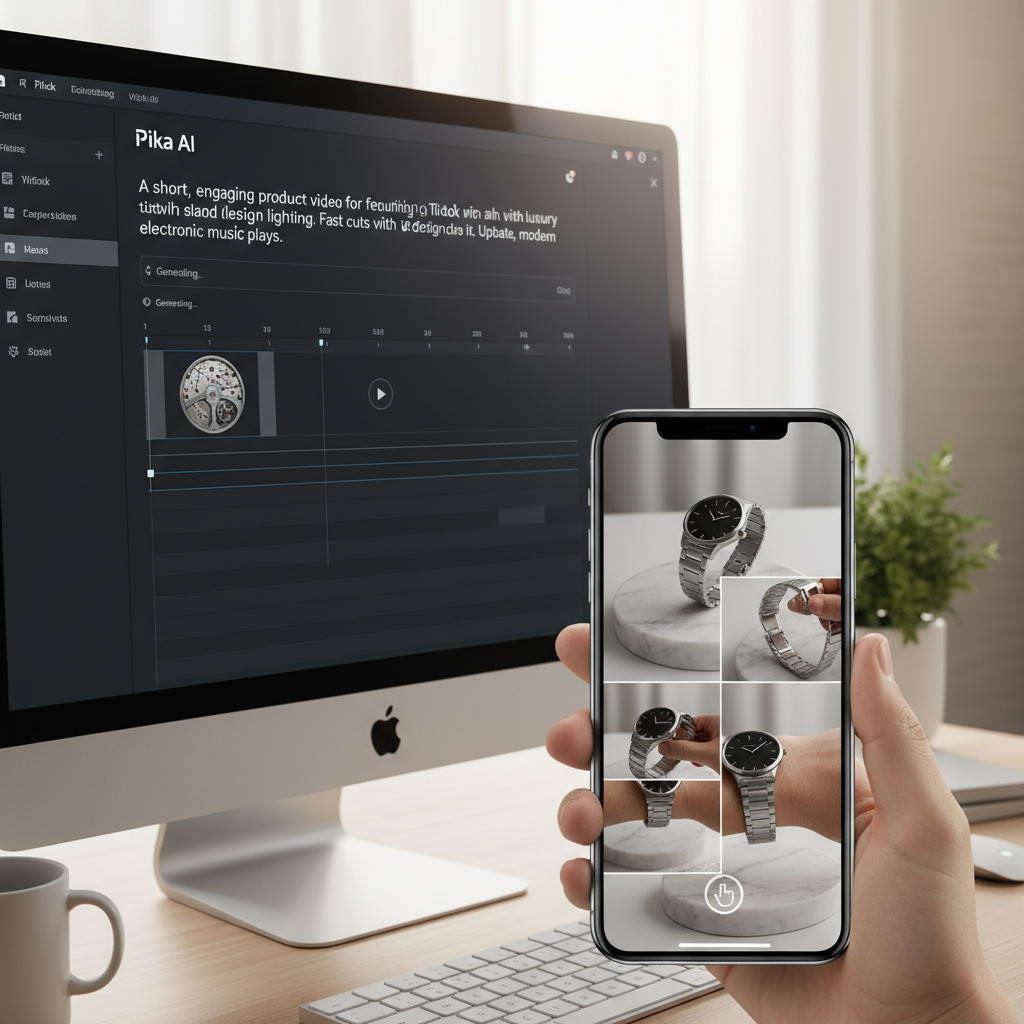
To effectively create TikTok product videos with Pika AI, follow these steps:
1. Prepare Your Assets: Begin by gathering high-quality images or short video clips of your product. Ensure these assets are well-lit and showcase the product from various angles. You will also need compelling text descriptions or a script outlining your video’s message.
2. Input into Pika AI: Access the Pika AI platform and upload your chosen product images or video snippets. Pika AI provides an intuitive interface where you can input your text prompts, guiding the AI on the desired animation style and narrative.
3. Refine Your Prompts: Experiment with different prompt variations to achieve the desired effect. For instance, specify actions like “product rotating slowly,” “liquid pouring into glass,” or “model interacting with product.” The more descriptive your prompts, the better Pika AI can interpret and generate relevant animations.
4. Generate and Edit: Once your prompts are set, Pika AI will process the information and generate a preliminary video. Review this output carefully, making any necessary adjustments to the prompts or settings. You can often tweak elements like speed, camera movement, and transitions directly within the platform.
5. Optimize for TikTok: Before exporting, ensure your video adheres to TikTok’s specifications, typically a 9:16 aspect ratio. Pika AI often provides options to format videos for specific social platforms. Add trending audio, text overlays, and relevant hashtags within TikTok itself to maximize reach.
Leveraging Pika AI for Engaging Product Demos on TikTok
Pika AI excels at transforming simple product demonstrations into captivating short videos suitable for TikTok. Instead of complex video shoots, you can use Pika AI to animate key product features. Imagine showcasing a new skincare product, where Pika AI animates the texture, application, and results seamlessly. This approach makes it easier to highlight benefits without extensive production efforts.
Integrating Pika AI with TikTok’s Native Features
While Pika AI generates the core video, its true power for TikTok lies in integration. Once your AI-generated video is ready, upload it to TikTok. Here, you can layer on popular sounds, voiceovers, interactive stickers, and trending filters. This combination of AI-powered visuals and TikTok’s native engagement tools creates a potent content strategy. It allows brands to maintain a fresh and relevant presence on the platform, driving higher viewer retention and potential conversions.
Crafting Compelling Pika Product Animation Prompt Examples for Impact
Crafting effective Pika product animation prompt examples is crucial for generating high-quality, engaging short videos that capture audience attention and clearly communicate product value. The quality of your output from Pika AI is directly proportional to the specificity and creativity of your prompts. By providing clear, descriptive instructions, you guide the AI to produce animations that align perfectly with your brand’s message and visual aesthetic.
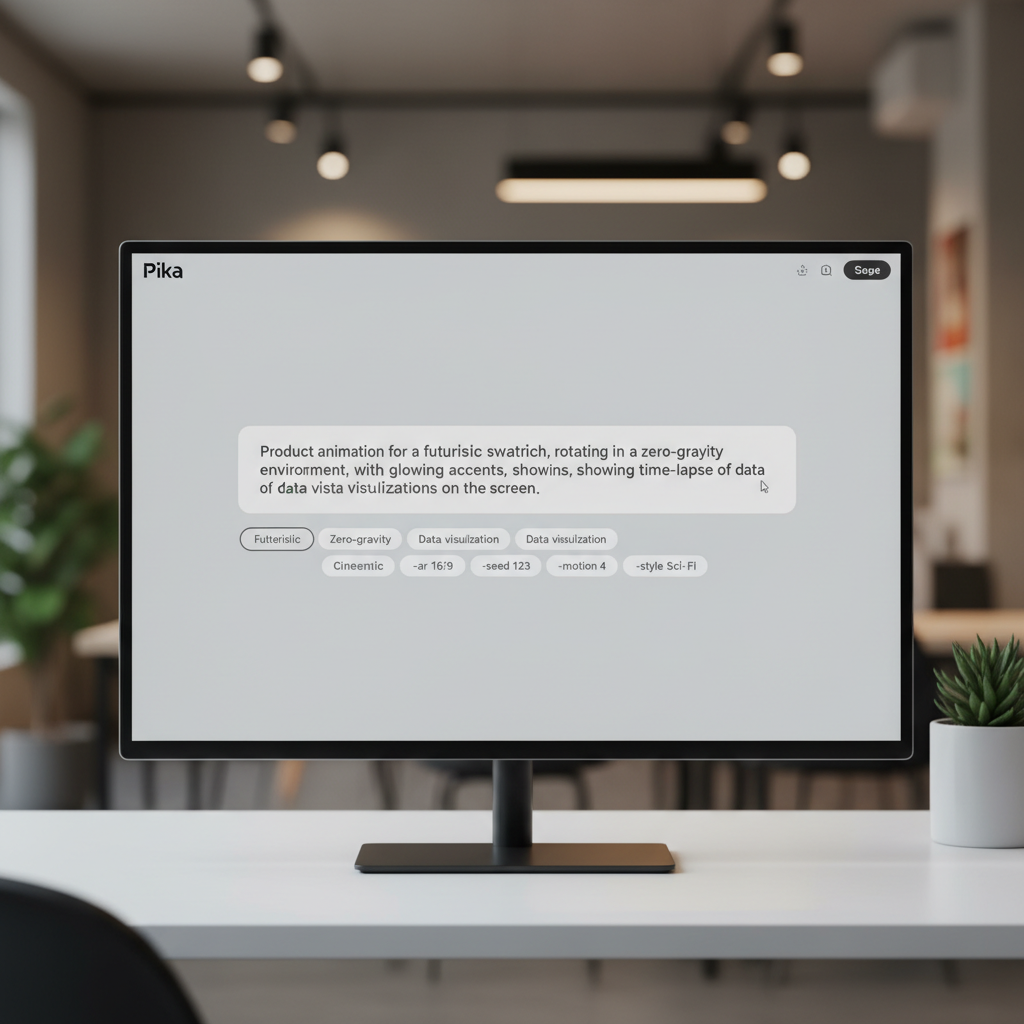
Here are some effective Pika product animation prompt examples to inspire your content creation:
* For a Skincare Product: “A luxurious serum bottle, slowly rotating on a minimalist white pedestal, soft golden light reflecting off the glass, a single drop of serum falling onto a pristine leaf, extreme close-up of the drop spreading smoothly.”
* For a Tech Gadget: “A sleek smartphone emerging from a futuristic glow, screen displaying vibrant app icons, then a quick zoom to a hand seamlessly interacting with the device, showcasing its slim profile and responsive touch.”
* For a Food Item: “A gourmet chocolate bar, breaking apart slowly to reveal a gooey caramel center, steam gently rising, then a close-up of a hand reaching in to pick up a piece, mouth-watering detail.”
* For an Apparel Item: “A vibrant, flowing scarf draped elegantly over a mannequin, wind gently rustling the fabric, then a quick transition to a person wearing the scarf, confidently walking through an urban setting, showcasing movement and style.”
* For a Home Decor Item: “A minimalist ceramic vase, slowly filling with water, then a single, delicate flower stem being placed inside, soft natural light illuminating the scene, creating a serene and calming atmosphere.”
Best Practices for Writing Pika Animation Prompts
To maximize the effectiveness of your Pika product animation prompts, consider these best practices. Be specific about camera angles, lighting, and desired emotions. Use strong verbs and descriptive adjectives. For instance, instead of “shoe moving,” try “athletic shoe rapidly accelerating across a track, dust kicking up, dynamic low-angle shot.” Incorporate brand colors or aesthetic elements directly into your prompts if possible.
Utilizing Keywords for Enhanced Pika Product Animation
Integrating relevant keywords into your Pika prompts helps the AI understand the context and nuances of your product. For example, if you’re promoting a sustainable water bottle, prompts like “eco-friendly water bottle, condensation forming on its surface, rotating on a wooden table, natural sunlight” will yield better results. Consider keywords related to your product’s material, function, and target audience. This specificity helps Pika AI generate animations that are not only visually appealing but also contextually accurate and brand-aligned.
Pika vs. Runway for Ecommerce Short Videos: A Detailed Comparison
When considering AI tools for generating ecommerce short videos, the choice between Pika and Runway often arises, as both offer powerful capabilities but cater to slightly different needs and user experiences. Both platforms leverage artificial intelligence to transform static assets or text into dynamic video content, but they differ in their core strengths, ease of use, and target audience. Understanding these distinctions is crucial for businesses to select the tool that best aligns with their specific video marketing strategies for platforms like TikTok, Reels, and Shorts.
Pika is often praised for its user-friendliness and rapid generation of short, engaging clips, making it ideal for quick social media content. Runway, on the other hand, is known for its broader suite of AI magic tools, offering more advanced control and flexibility for users with some video editing experience.
Here’s a detailed comparison to help you decide which tool is best for your ecommerce short videos:
| Feature | Pika AI | Runway ML |
|---|---|---|
| Primary Focus | Rapid text-to-video and image-to-video for social media. | Comprehensive AI creative suite, including text-to-video, video editing, and various AI magic tools. |
| Ease of Use | Very High (Intuitive interface, quick learning curve). | Moderate to High (More features mean a steeper learning curve for beginners, but powerful for experienced users). |
| Video Generation Speed | Extremely fast, optimized for short-form content. | Fast, but can vary depending on complexity and specific AI model used. |
| Customization & Control | Good for basic animations and styles, less granular control. | Excellent, offering advanced controls over camera movement, styles, and editing. |
| Target Audience | Social media marketers, small businesses, content creators needing quick, impactful videos. | Professional video editors, filmmakers, designers, and marketers seeking advanced AI tools. |
| Pricing Model | Typically subscription-based with free tiers/credits. | Subscription-based with various tiers offering different feature sets and usage limits. |
| Unique Selling Points | Simplicity, speed, and direct focus on social media video needs. | Broad range of AI tools beyond video generation, robust editing capabilities, and fine-tuned control. |
When to Choose Pika for Ecommerce Short Videos
Choose Pika if your primary goal is to generate a high volume of quick, engaging short videos for platforms like TikTok and Instagram Reels with minimal effort. It’s excellent for animating product shots, creating simple lifestyle scenes, or quickly testing various video concepts without deep video editing knowledge. Its straightforward interface makes it ideal for businesses that need to maintain a consistent social media presence without investing heavily in professional video production.
When to Choose Runway for Ecommerce Short Videos
Runway is the better choice if you require more sophisticated video manipulation, fine-tuned control over your animations, or integration with a broader creative workflow. It’s suitable for brands that want to push the boundaries of AI video, perhaps creating more complex narratives, custom visual effects, or longer-form promotional content. If you have a dedicated video editor or a team comfortable with more advanced tools, Runway’s extensive feature set can unlock greater creative possibilities for your ecommerce short videos.
Innovative AI Product Video Ideas for Reels, Shorts, and TikTok
Generating innovative AI product video ideas for Reels Shorts and TikTok is essential for brands looking to cut through the noise and capture audience attention on highly visual social media platforms. Leveraging AI tools like Pika allows for rapid experimentation with diverse concepts, transforming static product images into dynamic narratives without extensive production costs. The key is to think creatively about how AI can animate your product’s features, benefits, and lifestyle integration in short, digestible formats.
Here are several innovative AI product video ideas:
* Problem/Solution Showcase: Begin with an animated depiction of a common customer problem, then transition to your product appearing as the seamless solution. For example, a messy desk (AI animated clutter) followed by a sleek desk organizer appearing and tidying everything instantly.
* “Before & After” Transformations: Use AI to animate the transformation process. For a beauty product, show a dull complexion evolving into a radiant one. For a cleaning product, animate a dirty surface becoming spotless.
* Product Feature Spotlight: Isolate a key product feature and use AI to create a hyper-focused animation. For a smart device, animate its unique interface or a specific function activating with a satisfying visual effect.
* Lifestyle Integration: Show your product seamlessly fitting into various lifestyle scenarios. Animate a travel mug appearing in different picturesque locations, or a comfortable blanket being used in diverse cozy settings.
* Unboxing Experience (Animated): Recreate the excitement of an unboxing. Animate the product emerging from its packaging with elegant movements, highlighting the packaging design and the product’s first reveal.
* “How It’s Made” Snippets: Offer a glimpse into the product’s creation or materials. Animate raw materials transforming into the finished product, emphasizing quality and craftsmanship.
* User-Generated Content (UGC) Enhancement: Take existing UGC and use AI to add subtle animations, effects, or transitions that elevate the original content, making it more dynamic and shareable.
Crafting Engaging Narratives with AI for Short Videos
Even for short videos, a compelling narrative is crucial. AI tools can help visualize these narratives. For example, you can animate a story where a character faces a challenge, and your product helps them overcome it. Pika AI can take simple text prompts describing these scenarios and generate visual sequences, making storytelling accessible even without a film crew. Focus on a clear beginning, middle, and end, even if it’s only 15-30 seconds long.
Leveraging Trends with AI-Generated Product Videos
Staying relevant on social media means tapping into trends. AI can help you quickly adapt your product videos to current trends. If a particular sound or visual effect is trending, you can use Pika AI to generate a video that incorporates your product with that trend. This agility allows brands to be part of the cultural conversation, increasing discoverability and engagement. Regularly monitor trending audio and visual styles on TikTok and Reels, then use AI to create timely content.
Optimizing Pika AI Workflow for Maximum Efficiency and Output
Optimizing your Pika AI workflow for maximum efficiency and output is paramount for businesses aiming to consistently produce high-quality social product videos without extensive time or resource investment. A streamlined workflow ensures that you can rapidly move from concept to creation, enabling agile content strategies for platforms like TikTok, Reels, and Shorts. By implementing best practices and leveraging Pika AI’s capabilities effectively, you can significantly boost your content production while maintaining brand consistency and visual appeal.
Here are key strategies for optimizing your Pika AI workflow:
1. Standardize Your Asset Library: Maintain a well-organized library of high-resolution product images, brand logos, and relevant visual elements. Having these assets readily available in consistent formats reduces preparation time for each video project.
2. Develop a Prompt Template System: Create a set of reusable prompt templates for common video types (e.g., product rotation, feature highlight, lifestyle scene). This ensures consistency and speeds up the prompt-writing process. Customize these templates with specific product details for each new video.
3. Batch Processing for Similar Videos: If you need multiple videos with similar animation styles but different products, consider batching your prompt creation and generation. This allows Pika AI to process similar requests more efficiently.
4. Iterate and Refine Prompts: Don’t settle for the first output. Generate several variations by slightly altering your prompts. Analyze which elements work best and refine your prompts based on these insights. This iterative process leads to higher quality results over time.
5. Leverage Pika AI’s Editing Features: Familiarize yourself with any in-platform editing or refinement tools Pika AI offers. Simple adjustments to timing, camera angles, or effects within the AI tool itself can save significant post-production time.
6. Integrate with Post-Production Tools: While Pika AI creates the core animation, plan for efficient post-production. Use lightweight video editing software for adding music, voiceovers, text overlays, and final branding elements. Choose tools that allow quick integration and export for social media.
Streamlining Content Calendars with Pika AI
Pika AI can significantly streamline your content calendar by enabling faster video creation. Instead of planning weeks in advance for a single product video, you can now generate multiple options in a day. This agility allows you to react quickly to market trends, seasonal promotions, or new product launches, ensuring your social media content is always fresh and relevant. Integrate Pika AI into your content planning process as a primary tool for rapid video asset generation.
Training Your Team on Pika AI Best Practices
To truly optimize your workflow, ensure your team is well-versed in Pika AI’s capabilities and best practices. Provide training on effective prompt writing, understanding AI output, and efficient post-production techniques. A knowledgeable team can consistently produce high-quality videos, reduce errors, and maximize the return on your AI investment. Regular workshops and shared learning resources can foster a culture of efficient AI video creation within your organization.
Measuring Success and Iterating with Pika AI Videos
Measuring the success of your Pika AI-generated social product videos and iterating based on performance data is crucial for continuous improvement and maximizing your return on investment. Simply creating videos isn’t enough; understanding how they perform on platforms like TikTok, Reels, and Shorts allows you to refine your content strategy, optimize future prompts, and ultimately drive better engagement and conversions. Data-driven iteration ensures that your AI-powered video efforts are always evolving to meet audience preferences and business goals.
Here’s how to effectively measure success and iterate with Pika AI videos:
1. Define Clear KPIs: Before publishing, establish specific Key Performance Indicators (KPIs) for your videos. These might include:
* Engagement Rate: Likes, comments, shares, saves per view.
* View Count/Reach: How many people saw your video.
* Watch Time/Completion Rate: How long viewers watched the video.
* Click-Through Rate (CTR): If a link is provided, how many clicks it received.
* Conversion Rate: Direct sales or leads generated from the video.
2. Utilize Platform Analytics: Each social media platform (TikTok, Instagram, YouTube) offers robust analytics dashboards. Regularly review these metrics to understand viewer behavior. Pay attention to peak viewing times, audience demographics, and the performance of different video styles.
3. A/B Test Video Variations: Use Pika AI’s rapid generation capabilities to create multiple versions of a single product video. Experiment with different animations, prompt styles, background music, or calls to action. Publish these variations and compare their performance against your defined KPIs to identify what resonates most with your audience.
4. Gather Qualitative Feedback: Beyond quantitative data, pay attention to comments and direct messages. What are viewers saying about your videos? Are there recurring questions or positive remarks? This qualitative feedback can provide valuable insights that numbers alone might miss.
5. Iterate on Prompt Engineering: Based on your performance data, refine your Pika AI prompts. If videos with dynamic camera movements perform better, integrate more “tracking shot” or “zoom in” commands. If certain product angles are more engaging, specify those in future prompts.
6. Optimize for Specific Platforms: Analyze which video styles perform best on TikTok versus Reels versus Shorts. While there’s overlap, each platform has nuances. Tailor your Pika AI outputs and subsequent post-production for the specific platform where the video will be published.
Analyzing Viewer Behavior for Pika AI Video Improvement
Deep diving into viewer behavior is paramount. Look at where viewers drop off in your videos. Is there a particular animation sequence that causes disengagement? This insight can inform your prompt engineering for future Pika AI creations. Conversely, identify segments that hold attention, and try to replicate those successful elements in new videos. Tools like heatmaps or attention graphs within analytics can be incredibly helpful for this analysis.
Scaling Success with Data-Driven Pika AI Content
Once you identify successful video formats and prompt structures, scale your efforts. Use these proven templates to generate more content quickly with Pika AI. This data-driven approach allows you to efficiently produce a high volume of effective social product videos, continuously improving your content strategy and maximizing your brand’s impact across social media channels. The iterative process turns Pika AI into a powerful engine for sustained content marketing success.
What exactly is Pika AI for social product videos?
Pika AI is an artificial intelligence tool designed to generate short, engaging video content from text prompts and static images. For social product videos, it automates the animation process, allowing brands to quickly create dynamic clips showcasing their products for platforms like TikTok, Instagram Reels, and YouTube Shorts. It simplifies video production for marketing purposes.
How can Pika AI help create TikTok product videos?
Pika AI helps create TikTok product videos by allowing users to input product images and descriptive text prompts. The AI then animates these elements, generating short, attention-grabbing videos perfect for TikTok’s fast-paced environment. This enables brands to produce high volumes of content quickly, without needing extensive video editing skills or equipment.
Are there good Pika product animation prompt examples available?
Yes, effective Pika product animation prompt examples often include specific details about camera angles, lighting, product actions, and desired mood. For instance, “A sleek smartphone rotating slowly on a reflective surface, soft studio lighting, showcasing its screen and camera.” Specificity in prompts leads to more precise and impactful AI-generated animations.
What are the main differences between Pika vs Runway for ecommerce short videos?
Pika is generally more user-friendly and optimized for rapid generation of short, social media-ready clips, ideal for quick content needs. Runway offers a broader suite of advanced AI creative tools, providing more granular control and flexibility for users with some video editing experience, suitable for more complex projects and integrations.
Can Pika AI generate AI product video ideas for Reels Shorts and TikTok effectively?
Absolutely. Pika AI is highly effective for generating AI product video ideas for Reels, Shorts, and TikTok. Its ability to quickly animate concepts from text allows brands to experiment with various creative ideas, from problem/solution narratives to animated unboxings, making it an invaluable tool for ideation and rapid content creation across these platforms.
Is Pika AI suitable for small businesses with limited marketing budgets?
Yes, Pika AI is particularly suitable for small businesses with limited marketing budgets. It significantly reduces the need for expensive video production equipment, professional videographers, or complex editing software. Its user-friendly interface allows even beginners to create compelling product videos, democratizing high-quality video content creation.
Pika AI is revolutionizing how brands approach social product videos, offering an accessible and efficient path to creating dynamic, engaging content. By mastering prompt engineering and understanding the nuances of platforms like TikTok, Reels, and Shorts, businesses can unlock unprecedented creative potential. The ability to rapidly generate and iterate on video ideas means staying agile in a fast-paced digital landscape.
Key takeaways for leveraging Pika AI:
* Speed and Efficiency: Create high-quality videos in a fraction of the time compared to traditional methods.
* Creative Freedom: Experiment with diverse animation styles and narratives through simple text prompts.
* Platform Optimization: Tailor content specifically for the unique demands of TikTok, Reels, and Shorts.
* Cost-Effectiveness: Reduce reliance on expensive production resources and specialized skills.
* Data-Driven Iteration: Use analytics to refine prompts and content strategy for continuous improvement.
Embrace Pika AI to transform your social media presence and connect with your audience through captivating product stories. Start exploring Pika AI today and elevate your brand’s video marketing strategy.