

No-Code AI Workflow for Product Photography Simplified
Businesses can revolutionize their visual content creation with a no-code AI workflow for product photography, allowing them to generate stunning, consistent product images without needing complex coding skills or extensive design experience. This innovative approach leverages user-friendly platforms and artificial intelligence to streamline the entire image production process, from concept to final output. It democratizes access to high-quality visuals, enabling even small businesses and individual entrepreneurs to compete effectively in the visual-first e-commerce landscape.
Streamlining Product Image Creation with No-Code AI
Streamlining product image creation with no-code AI workflow for product photography means leveraging intuitive platforms to automate and enhance the visual content process without writing any code. This method significantly reduces the time and resources traditionally required for high-quality product visuals. It empowers e-commerce businesses to produce a large volume of diverse images quickly and efficiently.

Many businesses struggle with the cost and complexity of traditional product photography. Hiring photographers, renting studios, and managing post-production can be expensive and time-consuming. A no-code AI approach offers a powerful alternative. It allows users to define parameters and let AI generate various image styles, backgrounds, and compositions. This not only saves money but also ensures brand consistency across all product listings.
What are the core components of a no-code AI product photography workflow?
The core components of a no-code AI product photography workflow typically include an image input source, an AI image generation tool, and an automation platform. The input source might be a simple product photo taken with a smartphone or a 3D model. The AI tool then processes this input, applying styles, removing backgrounds, or generating entirely new scenes. Finally, an automation platform connects these steps, ensuring a seamless flow of data and actions. This integration creates an efficient pipeline for visual content.
How does no-code AI enhance product image consistency and scalability?
No-code AI enhances product image consistency and scalability by enabling the application of predefined styles and templates across all products. Once a brand aesthetic is established within the AI tool, it can be replicated for hundreds or thousands of items. This eliminates discrepancies often seen with manual photography or multiple designers. The scalability comes from the AI’s ability to process vast amounts of data and generate images at a pace unmatched by human effort. This means businesses can quickly adapt to new product launches or seasonal campaigns.
Automating Product Images with Zapier, Make, and AI
Automating product images with Zapier, Make, and AI involves connecting these powerful no-code tools to create a seamless, hands-off system for generating and publishing product visuals. This integration allows businesses to trigger AI image generation based on specific events, such as a new product being added to an inventory system. It eliminates manual intervention, saving significant time and resources. The goal is to create a fully automated pipeline from product data to publication-ready images.
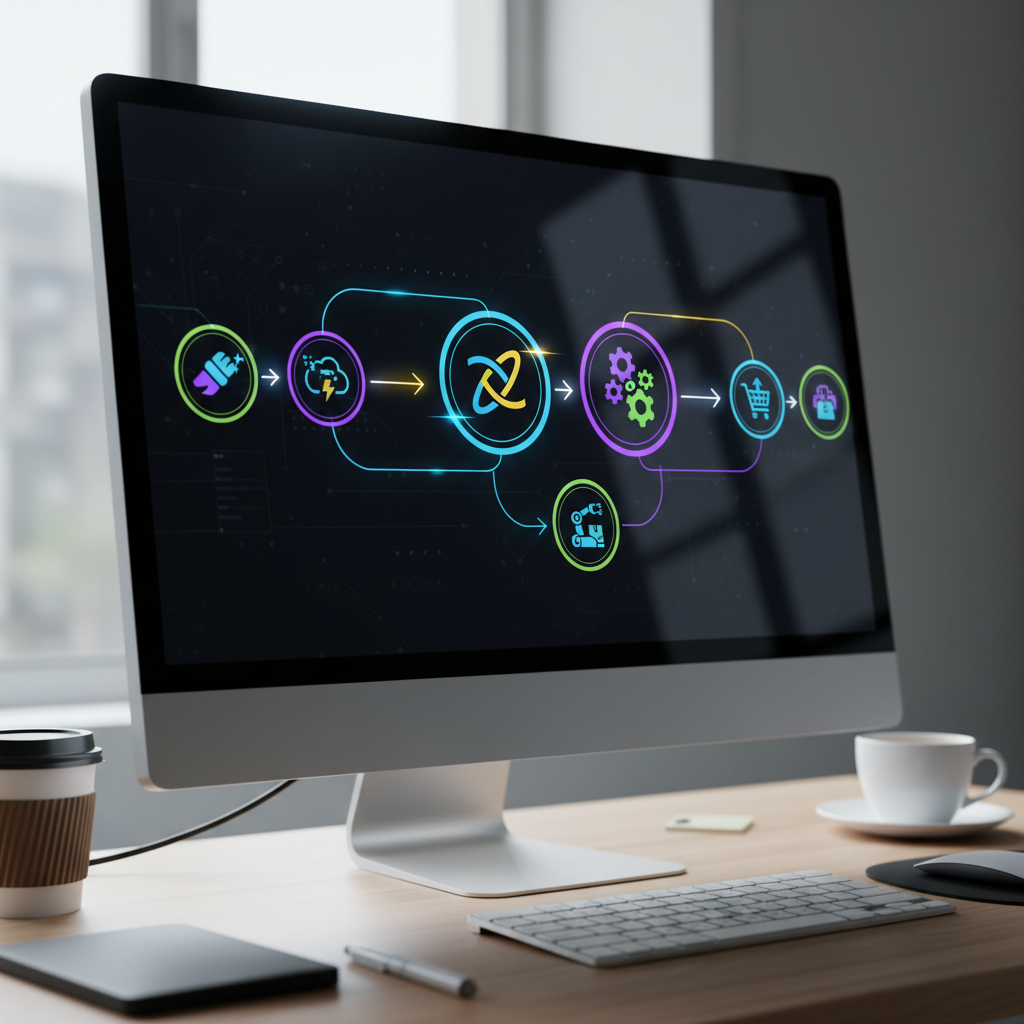
Many e-commerce operations face bottlenecks in getting new products live due to delays in photography. By learning how to automate product images with Zapier Make and AI, companies can drastically cut down on these lead times. For example, when a new product entry is created in a spreadsheet, Zapier or Make can detect this. They can then send the product details to an AI image generator, which creates multiple visual variations. These images can then be automatically uploaded to the e-commerce platform.
Setting up an automated product image workflow with Zapier and AI
Setting up an automated product image workflow with Zapier and AI typically involves three main steps. First, identify your trigger event, such as a new row in Google Sheets or a new product in Shopify. Second, connect this trigger to an AI image generation tool like Midjourney, DALL-E, or a specialized product photography AI via a custom API call or a direct integration if available. Third, configure the AI to generate images based on product descriptions or existing photos. Finally, set up an action to upload the generated images to your desired platform, like a cloud storage service or directly to your e-commerce store.
Using Make (formerly Integromat) for advanced AI product image automation
Make, previously known as Integromat, offers more granular control and complex branching logic for advanced AI product image automation compared to simpler automation tools. It allows users to build intricate multi-step scenarios that can handle conditional logic, data parsing, and error handling. For instance, Make can extract specific attributes from a product description, use those attributes to generate multiple AI image prompts, and then process each generated image differently based on its content. This level of customization is ideal for businesses with unique visual requirements or complex product catalogs.
Designing Effective No-Code AI Image Generation Workflows
Designing effective no-code AI image generation workflow for ecommerce requires careful planning of each step, from input data to final image output, to ensure efficiency and quality. A well-designed workflow minimizes manual effort, maximizes the AI’s capabilities, and produces visuals that align with brand guidelines. It involves understanding the capabilities of your chosen no-code tools and how they interact. The goal is to create a repeatable process that consistently delivers high-quality product images.
The foundation of an effective workflow lies in clear objectives. What kind of images do you need? What backgrounds, styles, and angles are essential? Defining these parameters upfront guides the selection of AI tools and the configuration of automation. Poorly defined requirements can lead to irrelevant or inconsistent outputs, requiring more manual correction later. Investing time in the planning phase pays dividends in the long run, reducing rework and increasing overall satisfaction with the AI-generated results.
Key considerations for building robust AI product photo workflows
Key considerations for building robust AI product photo workflows include data input quality, AI model selection, prompt engineering, and output integration. High-quality input data, whether product photos or detailed descriptions, is crucial for accurate AI generation. Selecting the right AI model depends on your specific needs; some excel at background removal, others at generating entirely new scenes. Effective prompt engineering—crafting precise instructions for the AI—is vital for desired results. Finally, seamless integration with your e-commerce platform or digital asset management system ensures efficient publishing.
Structuring your no-code AI workflow for optimal scalability and consistency
Structuring your no-code AI workflow for optimal scalability and consistency involves modular design and template standardization. Break down the workflow into distinct, manageable modules, such as “background removal,” “scene generation,” and “image resizing.” This modularity allows for easier updates and troubleshooting. Standardize templates for prompts and output formats to maintain consistency across all products. Using a central database for product information ensures that all AI generations are based on the same source of truth. This structured approach facilitates scaling operations without compromising quality.
Selecting the Best No-Code Tools for AI Ecommerce Visuals
Selecting the best no-code tools for AI ecommerce visuals involves evaluating platforms based on their AI capabilities, ease of integration, cost-effectiveness, and specific features relevant to product photography. The right combination of tools can drastically improve efficiency and output quality for online retailers. Businesses should look for solutions that offer robust image generation, intelligent background removal, and seamless automation features. This ensures a comprehensive approach to visual content creation.
The market for no-code AI tools is rapidly expanding, offering a wide array of options for e-commerce businesses. Some tools specialize in specific aspects, like creating lifestyle images from product shots, while others provide end-to-end solutions. Understanding your specific needs—whether it’s generating hundreds of variations, creating realistic shadows, or simply standardizing product backgrounds—will guide your selection process. A thorough comparison helps in identifying the most suitable tools for your operational requirements and budget.
Comparing leading no-code AI image generation platforms
Comparing leading no-code AI image generation platforms reveals diverse strengths. Tools like Midjourney and DALL-E 3 are excellent for creative, conceptual image generation, allowing users to describe scenes and products with text prompts. Specialized platforms such as Flair AI or Glorify often focus on e-commerce-specific features like background removal, shadow generation, and template-based design. When choosing, consider the quality of their output, the learning curve, and the availability of integrations with other tools in your tech stack.
| Tool Feature | General AI Generators (e.g., Midjourney, DALL-E) | E-commerce Specific AI (e.g., Flair AI, Glorify) | Automation Platforms (e.g., Zapier, Make) |
|---|---|---|---|
| Primary Function | Creative image generation from text prompts | Product image optimization, background removal, scene creation | Connecting apps and automating workflows |
| Best For | Unique concepts, diverse styles, artistic visuals | Standardized product shots, lifestyle images, quick edits | End-to-end workflow automation, data transfer |
| Ease of Use | Moderate (prompt engineering required) | High (template-driven, intuitive UI) | Moderate to High (visual builders) |
| Integration | Often API-based or through Discord bots | Direct integrations with e-commerce platforms, APIs | Extensive integrations with thousands of apps |
| Cost Model | Subscription-based, credit system | Subscription-based, feature tiers | Subscription-based, task/operation limits |
Integrating no-code AI tools into your existing e-commerce ecosystem
Integrating no-code AI tools into your existing e-commerce ecosystem is crucial for maximizing their impact. This often involves using automation platforms like Zapier or Make to bridge the gap between your e-commerce platform (e.g., Shopify, WooCommerce) and your chosen AI image generator. The integration should facilitate automatic product data transfer to the AI, and then automatic image upload back to your product listings. Look for tools that offer robust APIs or pre-built connectors to simplify this process. A well-integrated system ensures that your product visuals are always up-to-date and consistent.
Implementing AI Product Photo Automation Without Coding
Implementing AI product photo automation without coding involves setting up a series of interconnected no-code tools to automatically generate and manage product images, bypassing the need for manual design or development work. This approach is particularly beneficial for businesses looking to scale their visual content production quickly and efficiently. It allows for rapid iteration and deployment of new product visuals. The goal is to create a seamless, hands-off process from product data input to published images.
The year 2026 marks a significant advancement in no-code AI capabilities, making AI product photo automation without coding 2026 more accessible and powerful than ever. Tools have become more sophisticated, offering better image quality, more creative control, and easier integration. Businesses can now leverage these advancements to stay competitive in a visually driven market. The focus shifts from technical execution to creative strategy and prompt engineering.
Step-by-step guide to setting up your first AI product image automation
Setting up your first AI product image automation typically follows these steps:
1. Define your visual requirements: Determine the desired style, background, and number of images per product.
2. Choose your input source: This could be a simple product photo, a CSV with product descriptions, or a new entry in your e-commerce platform.
3. Select an AI image generation tool: Pick one that matches your aesthetic and functional needs (e.g., Midjourney for creative, Flair AI for e-commerce specific).
4. Choose an automation platform: Zapier or Make are excellent choices for connecting your input source to the AI tool.
5. Configure the automation: Set up a “trigger” (e.g., new product added) and an “action” (e.g., send product data to AI).
6. Refine AI prompts: Experiment with prompts to achieve the desired image quality and style.
7. Set up output actions: Automatically upload generated images to your e-commerce store or cloud storage.
8. Test and iterate: Run test scenarios and adjust your workflow as needed.
Overcoming common challenges in no-code AI product photography
Overcoming common challenges in no-code AI product photography often involves refining prompts, managing output variations, and ensuring brand consistency. AI models can sometimes produce unexpected results, requiring iterative prompt adjustments. Managing the volume of generated images and selecting the best ones can also be a challenge; implementing a review step in your workflow is crucial. Ensuring brand consistency across all AI-generated images requires careful template creation and strict adherence to style guides within your prompts. Regular monitoring and fine-tuning of the workflow are essential for continuous improvement.
Optimizing AI-Generated Product Photos for Ecommerce Success
Optimizing AI-generated product photos for e-commerce success involves more than just creating visually appealing images; it requires strategic consideration of file size, SEO, and user experience. High-quality, optimized images load quickly, rank better in search results, and ultimately convert more visitors into customers. Businesses must ensure that their automated workflows include steps for image compression, metadata addition, and responsive sizing. This holistic approach maximizes the impact of AI-generated visuals.
Even the most stunning AI-generated image can hinder performance if it’s too large or lacks proper SEO attributes. Slow loading times can lead to high bounce rates and lost sales. Therefore, integrating optimization steps directly into your no-code AI workflow for product photography is paramount. This ensures that every image published is not only beautiful but also technically sound and primed for e-commerce success. It’s about combining aesthetic appeal with technical efficiency.
Enhancing SEO and user experience with AI-generated product images
Enhancing SEO and user experience with AI-generated product images involves optimizing file names, alt text, and image dimensions. Use descriptive, keyword-rich file names (e.g., “blue-leather-handbag-front.jpg”) rather than generic ones. Craft compelling alt text that accurately describes the image for visually impaired users and search engines. Ensure images are appropriately sized and compressed to balance quality with fast loading times. Responsive images that adapt to different screen sizes also significantly improve user experience across devices.
Best practices for managing and publishing AI-created product visuals
Best practices for managing and publishing AI-created product visuals include establishing a clear review process, utilizing digital asset management (DAM) systems, and maintaining version control. Before publishing, always have a human review the AI-generated images to catch any anomalies or inconsistencies. Integrate a DAM system into your workflow to organize, store, and retrieve images efficiently. This helps in maintaining a single source of truth for all product visuals. Implement version control to track changes and revert to previous versions if needed, ensuring consistency and quality over time.
What is a no-code AI workflow for product photography?
A no-code AI workflow for product photography is an automated system that uses artificial intelligence tools, without requiring any coding, to generate, edit, and optimize product images. It connects various platforms to streamline the creation of high-quality visuals for e-commerce. This allows businesses to produce professional-grade product photos efficiently. It significantly reduces the need for manual photography and design work.
How can I automate product images using Zapier, Make, and AI?
You can automate product images by setting up a workflow where Zapier or Make act as the connectors. A trigger (like a new product entry) activates the automation. This sends product data to an AI image generator (e.g., Midjourney, Flair AI). The AI creates the images, which are then automatically uploaded to your e-commerce platform or storage. This process eliminates manual steps.
What are the benefits of no-code AI image generation for e-commerce?
The benefits of no-code AI image generation for e-commerce include increased efficiency, reduced costs, enhanced brand consistency, and faster time-to-market for new products. It allows businesses to generate a high volume of diverse product visuals quickly. This capability helps in conducting A/B testing and creating personalized customer experiences. It democratizes access to professional-grade visual content.
Which are the best no-code tools for AI e-commerce visuals?
The best no-code tools for AI e-commerce visuals often include a combination of AI image generators like Midjourney or DALL-E for creative concepts, specialized e-commerce AI tools like Flair AI or Glorify for product-specific enhancements, and automation platforms such as Zapier or Make for workflow orchestration. The ideal choice depends on specific needs and budget.
Is it possible to achieve AI product photo automation without coding in 2026?
Yes, it is absolutely possible to achieve AI product photo automation without coding in 2026. Advancements in no-code platforms and AI technology have made sophisticated image generation and workflow automation accessible to users without programming knowledge. These tools offer intuitive interfaces and powerful integrations. They allow businesses to create complex automated visual content pipelines.
How does AI improve product image quality and variety?
AI improves product image quality by offering advanced editing capabilities like background removal, realistic shadow generation, and consistent lighting. It enhances variety by generating multiple angles, scenes, and lifestyle contexts from a single product input. This allows businesses to showcase products in diverse and engaging ways. It also ensures visual consistency across all marketing channels.
What should I consider when integrating AI visuals into my e-commerce store?
When integrating AI visuals into your e-commerce store, consider image optimization for web performance (file size, format), SEO attributes (alt text, file names), and seamless integration with your product catalog. Ensure images are responsive for all devices. Also, establish a review process for quality control before publishing. This ensures a positive user experience and better search engine visibility.
The adoption of a no-code AI workflow for product photography is no longer a futuristic concept but a present-day necessity for competitive e-commerce. By embracing these powerful tools, businesses can unlock unprecedented efficiency and creativity in their visual content strategy.
Key takeaways for implementing your no-code AI workflow:
* Start with clear objectives: Define your visual needs before selecting tools and designing workflows.
* Leverage automation platforms: Tools like Zapier and Make are crucial for connecting AI generators with your existing systems.
* Prioritize quality and consistency: Use prompt engineering and templates to ensure AI outputs align with your brand.
* Optimize for e-commerce: Don’t forget image SEO, file size, and responsive design for optimal performance.
* Embrace iteration: Continuously test, refine, and improve your workflows as AI technology evolves.
By integrating these strategies, you can transform your product photography process, saving time and resources while elevating your brand’s visual presence. Explore the possibilities of no-code AI today and revolutionize your e-commerce visuals.