

AI Tools With Built-in Product Photo Templates And Presets 2026
The landscape of e-commerce and digital marketing is constantly evolving, making high-quality product imagery more crucial than ever. Thankfully, AI tools with built-in product photo templates and presets are revolutionizing how businesses create stunning visuals. These innovative platforms leverage artificial intelligence to simplify complex design processes, enabling anyone to generate professional-grade product photos without extensive graphic design skills or expensive studio equipment. This guide explores the best AI solutions available, focusing on their features, benefits, and how they empower users to craft captivating product visuals efficiently.
Transforming Product Visuals with AI-Driven Templates
AI-driven templates are fundamentally changing how businesses approach product photography, offering a streamlined, efficient, and cost-effective method to create compelling visuals. These templates provide pre-designed layouts and backgrounds, allowing users to simply insert their product images into a professional setting. This eliminates the need for physical photo shoots, complex lighting setups, or hiring professional photographers. The result is consistent, high-quality imagery that enhances brand perception and boosts conversion rates across various marketing channels.
What are AI-driven product photo templates?
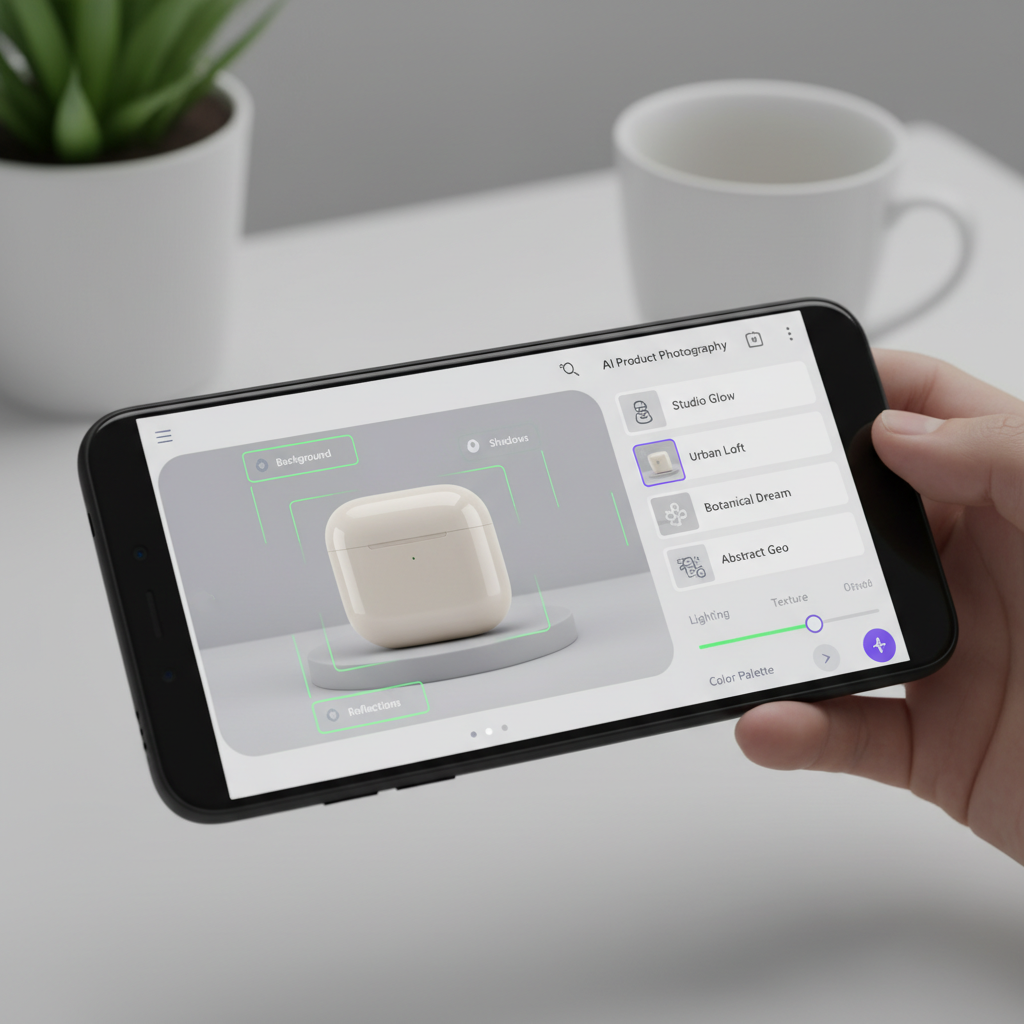
AI-driven product photo templates are pre-designed digital environments or layouts that leverage artificial intelligence to automatically integrate and optimize product images. These templates often include smart features like background removal, lighting adjustments, and perspective correction, ensuring the product looks natural within the chosen scene. They are designed to simplify the visual creation process, making it accessible even for users with no prior design experience. Such tools provide a robust solution for businesses seeking to elevate their visual content without significant investment in traditional photography.
How do AI templates enhance product presentation?
AI templates significantly enhance product presentation by offering a vast library of professional-grade scenes and styles. Users can select templates that perfectly match their brand aesthetic or target audience, from minimalist studio shots to vibrant lifestyle settings. This consistency in visual branding helps build trust and recognition with customers. Furthermore, the AI capabilities ensure that each product image is perfectly framed and lit, creating an appealing and professional look that captivates potential buyers. The ability to quickly generate diverse visual options allows for A/B testing, further optimizing product appeal.
Benefits of using AI for product photo generation
Utilizing AI for product photo generation brings numerous advantages, particularly for small to medium-sized businesses and individual sellers. Firstly, it drastically reduces the time and cost associated with traditional photography. Instead of days or weeks, stunning product photos can be generated in minutes. Secondly, it offers unparalleled consistency in branding, as all images can adhere to a uniform style. Thirdly, AI tools provide creative flexibility, allowing users to experiment with various backgrounds and scenarios without logistical constraints. This democratizes high-quality product photography, making it accessible to everyone.
Harnessing Drag-and-Drop AI Product Photo Generators for Non-Designers
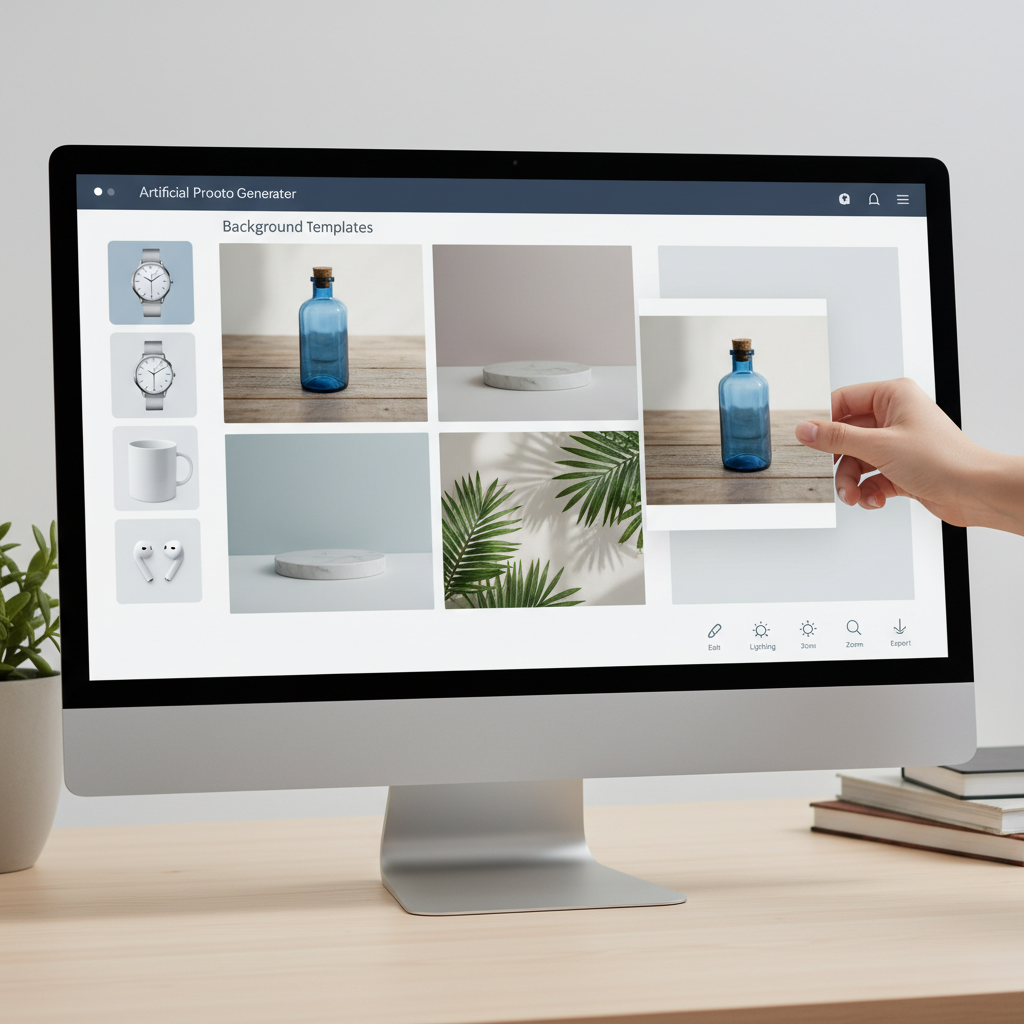
Drag and drop AI product photo generators for non-designers represent a significant leap forward in making professional product photography accessible to everyone. These intuitive platforms allow users to simply upload their product image and then drag and drop it into a chosen template or scene. The AI then intelligently processes the image, seamlessly integrating it into the new environment with appropriate lighting, shadows, and perspective. This eliminates the need for complex software knowledge or intricate design skills, empowering entrepreneurs and small business owners to create captivating visuals effortlessly.
Simplifying product photography with intuitive interfaces
The core strength of drag-and-drop AI generators lies in their user-friendly interfaces. These platforms are designed with simplicity in mind, ensuring that even complete beginners can navigate them with ease. Typically, the workflow involves a few straightforward steps: uploading a product photo, browsing a library of templates, and then dragging the product into the desired background. The AI handles all the technical adjustments, such as background removal, lighting correction, and resizing. This intuitive approach significantly lowers the barrier to entry for creating high-quality product images.
Key features of drag-and-drop AI product photo generators
Modern drag and drop AI product photo generators for non-designers come packed with features designed to streamline the creative process. Beyond the basic drag-and-drop functionality, many offer:
* Automatic Background Removal: Instantly isolates the product from its original background.
* Smart Shadowing: Generates realistic shadows that match the new environment’s lighting.
* Perspective Matching: Adjusts the product’s perspective to blend naturally with the template.
* Batch Processing: Allows users to apply the same template or style to multiple product images at once, saving considerable time.
* Extensive Template Libraries: Provides a wide array of scenes, from studio setups to outdoor environments, catering to diverse product types.
Who benefits most from drag-and-drop AI tools?
These drag and drop AI product photo generators for non-designers are particularly beneficial for a wide range of users who lack professional design skills or resources. E-commerce store owners, social media marketers, small business entrepreneurs, and even individual crafters can leverage these tools to elevate their online presence. They can quickly generate high-quality images for product listings, social media campaigns, advertisements, and websites, all without investing in expensive equipment or hiring graphic designers. This democratization of visual content creation empowers businesses of all sizes to compete effectively in the digital marketplace.
Exploring AI Product Photography Tools with One-Click Studio Presets
AI product photography tools with one-click studio presets are transforming the efficiency and quality of product image creation by offering instant, professional-grade visual enhancements. These presets are pre-configured settings for lighting, background, and styling that can be applied to a product image with a single click. This functionality is invaluable for businesses seeking to maintain a consistent brand aesthetic across all their product listings and marketing materials without requiring manual adjustments or advanced editing skills. The AI ensures that each preset intelligently adapts to the specific product, optimizing the final output for maximum visual appeal.
The power of one-click studio presets in AI photography
One-click studio presets are essentially intelligent filters that apply a complete visual transformation to a product image. Instead of manually adjusting brightness, contrast, shadows, and background elements, users can simply select a preset like “Bright Studio,” “Dark & Moody,” or “Outdoor Lifestyle.” The AI then analyzes the product and the chosen preset, making the necessary adjustments to create a cohesive and professional look. This significantly speeds up the workflow, allowing users to generate numerous variations of a product photo in a fraction of the time it would take with traditional editing methods.
Achieving professional results with minimal effort
The primary advantage of AI product photography tools with one-click studio presets is their ability to deliver professional results with minimal effort. These tools are designed for users who may not have a background in photography or graphic design. By abstracting the complexities of image editing into simple, actionable clicks, they empower anyone to produce images that rival those taken in a professional studio. This accessibility allows businesses to allocate resources more efficiently, focusing on product development and marketing rather than spending excessive time and money on visual content creation.
Comparing popular AI tools with one-click presets
Several AI tools now offer robust one-click studio preset functionalities, each with unique strengths. For instance, some platforms excel in generating realistic shadows and reflections, while others provide a broader range of lifestyle scenes. When comparing options, consider the diversity of presets, the quality of AI integration for automatic adjustments, and the overall user experience.
* PhotoRoom: Known for its extensive library of templates and AI background removal, offering various studio and lifestyle presets.
* Glorify: Focuses on e-commerce visuals, providing a suite of design tools alongside one-click presets for product shots and marketing materials.
* Pixelcut: Offers quick and easy background removal and a good selection of AI-powered studio backdrops and effects.
* VanceAI: Provides a range of AI image editing tools, including background removal and object removal, which can be combined with presets.
These tools empower users to experiment with different visual styles and find the perfect aesthetic for their brand with unparalleled ease.
An AI for Beginners Guide to Creating Product Photos Without Skills
For aspiring entrepreneurs and small business owners, the idea of creating professional product photos can seem daunting, often requiring expensive equipment, technical knowledge, or hiring a specialist. However, this AI for beginners guide to creating product photos without skills demonstrates how artificial intelligence has democratized this process. Modern AI tools are designed with user-friendliness at their core, enabling anyone to produce high-quality, engaging product imagery with just a few clicks, regardless of their prior experience in photography or graphic design. The key lies in understanding how these intuitive platforms leverage AI to handle the complex aspects of image manipulation.
Getting started with AI product photography
Embarking on your AI product photography journey is surprisingly straightforward. The first step involves selecting a suitable AI tool that aligns with your budget and specific needs. Many platforms offer free trials or freemium versions, allowing you to experiment before committing. Once you’ve chosen a tool, the process typically follows these simple steps:
1. Upload Your Product Image: Start with a clear, well-lit photo of your product, even if it’s taken with a smartphone.
2. Select a Template or Preset: Browse the tool’s library of pre-designed templates or one-click studio presets.
3. Refine and Customize (Optional): Most tools offer basic editing options to adjust lighting, shadows, or add text/logos.
4. Download Your Masterpiece: Export your new professional product photo in the desired format.
This simple workflow makes AI for beginners guide to creating product photos without skills a reality for countless users.
Essential tips for beginners using AI photo tools
Even with the simplicity of AI tools, a few tips can help beginners maximize their results:
* Start with Good Source Photos: While AI can do wonders, a well-lit, clear initial photo of your product will always yield superior results.
* Experiment with Templates: Don’t stick to the first template you like. Try several to see which best highlights your product.
* Understand Your Brand: Choose templates and presets that resonate with your brand’s aesthetic and target audience.
* Utilize Batch Processing: If you have many products, use tools that offer batch processing to maintain consistency and save time.
* Review and Iterate: Always review the AI-generated image and don’t hesitate to make minor adjustments or try a different preset if it doesn’t quite meet your expectations.
Overcoming common challenges for non-designers
One of the biggest challenges for non-designers is achieving a professional look without technical expertise. AI tools directly address this by automating complex tasks like background removal, lighting adjustments, and perspective correction. Another challenge is consistency across multiple product images; AI templates and presets ensure a uniform style effortlessly. Furthermore, the high cost of traditional photography is mitigated, making professional visuals accessible on a limited budget. This comprehensive AI for beginners guide to creating product photos without skills empowers anyone to overcome these hurdles and produce stunning product imagery.
No-Code AI Product Photography Platforms Comparison
The rise of no-code AI product photography platforms comparison highlights a significant shift towards accessible and user-friendly visual content creation. These platforms are specifically designed for individuals and businesses without coding knowledge or extensive design experience, offering intuitive interfaces and automated processes. By eliminating the need for complex software or technical skills, no-code AI tools empower a broader audience to generate high-quality product images quickly and efficiently. This comparison will delve into the key features, pricing models, and ideal use cases for some of the leading platforms in this rapidly expanding market.
Key features to consider in no-code AI platforms
When evaluating no-code AI product photography platforms comparison, several key features stand out as crucial for a seamless user experience and professional output:
* Template Variety: A diverse library of templates for various product types and marketing scenarios.
* AI Background Removal: Accurate and automatic removal of original backgrounds.
* Lighting and Shadow Generation: Realistic recreation of lighting and shadows to match new backgrounds.
* Batch Processing: Ability to edit multiple images simultaneously.
* Customization Options: Tools for fine-tuning colors, text, and additional graphic elements.
* Ease of Use: An intuitive drag-and-drop interface is paramount.
* Output Quality: High-resolution image exports suitable for various platforms.
Comparative analysis of leading no-code AI tools
Here’s a comparison of popular no-code AI product photography platforms comparison tools, focusing on their strengths:
| Platform Name | Primary Strengths | Ideal For | Pricing Model |
|---|---|---|---|
| PhotoRoom | Extensive template library, excellent background removal, user-friendly interface. | E-commerce sellers, social media managers, quick edits. | Freemium, subscription plans. |
| Glorify | Branding focus, design suite for ads & mockups, good for consistent brand visuals. | E-commerce brands, marketers, startups. | Freemium, subscription plans. |
| Pixelcut | Fast background removal, AI-powered studio backdrops, simple editing. | Small businesses, individual sellers, quick content creation. | Freemium, subscription plans. |
| Remove.bg | Specializes in highly accurate background removal, integrates with other tools. | Anyone needing precise background removal, developers. | Freemium, pay-as-you-go credits. |
| Claid.ai | AI image upscaling, background generation, and model generation. | Larger e-commerce, brands needing advanced AI features. | Subscription plans. |
Choosing the right platform for your business needs
Selecting the ideal no-code AI product photography platforms comparison depends on your specific requirements. If you need a vast array of templates and robust background removal, PhotoRoom or Glorify might be suitable. For simpler, faster background removal, Remove.bg or Pixelcut could be better. Businesses focused on comprehensive branding and marketing materials might lean towards Glorify. Consider your budget, the volume of images you need to process, and the level of customization required. Most platforms offer free trials, making it easy to test them before making a commitment.
Maximizing Your Brand Impact with AI-Powered Product Imagery
Leveraging AI tools with built-in product photo templates and presets is not just about convenience; it’s a strategic move to significantly maximize your brand’s impact in a competitive digital marketplace. High-quality, consistent product imagery is a cornerstone of effective branding, influencing customer perception, trust, and ultimately, purchasing decisions. AI-powered solutions enable businesses of all sizes to achieve this level of visual excellence without the traditional barriers of cost and complexity. By presenting products in visually appealing and professional contexts, brands can create a stronger emotional connection with their audience and stand out from the crowd.
Creating consistent brand aesthetics with AI
Consistency is paramount in branding, and AI tools excel at helping businesses maintain a uniform visual aesthetic across all their product imagery. With customizable templates and one-click presets, brands can define a specific look and feel that reflects their identity. Whether it’s a clean, minimalist style or a vibrant, energetic one, AI ensures that every product photo adheres to these guidelines. This visual coherence strengthens brand recognition and builds a professional image, making it easier for customers to identify and trust your brand across different platforms, from your website to social media and advertisements.
Driving sales and engagement through compelling visuals
Compelling product visuals are directly linked to increased sales and customer engagement. In an online environment where customers cannot physically interact with products, images serve as their primary point of reference. AI tools with built-in product photo templates and presets allow businesses to create images that not only showcase the product clearly but also tell a story or evoke a desired emotion. For instance, placing a product in a lifestyle setting can help customers envision themselves using it, thereby increasing its perceived value and appeal. High-quality images also encourage sharing on social media, expanding brand reach and engagement organically.
Future trends in AI product photography
The field of AI product photography is continually evolving, with exciting future trends on the horizon. We can anticipate even more sophisticated AI capabilities, such as:
* Hyper-realistic 3D Product Rendering: AI will generate incredibly lifelike 3D models from 2D images, allowing for interactive product views.
* Personalized Visuals: AI could dynamically generate product images tailored to individual customer preferences based on their browsing history or demographics.
* Enhanced Video Generation: Beyond still images, AI will play a larger role in creating short, engaging product videos with minimal input.
* Integration with AR/VR: Seamless integration with augmented and virtual reality platforms, offering immersive product experiences.
These advancements promise to further revolutionize how brands present their products, making visual content creation even more powerful and accessible.
What are AI product photography tools?
AI product photography tools are software applications that use artificial intelligence to automate and enhance the process of creating product images. They often include features like background removal, template application, and lighting adjustments, making it easier for users to generate professional-looking photos.
Can I create product photos without any design skills using AI?
Yes, absolutely. Many AI product photography tools are specifically designed for non-designers, featuring intuitive drag-and-drop interfaces and one-click presets. This allows anyone to produce high-quality product images without needing prior graphic design or photography expertise.
Are AI product photo templates customizable?
Most AI product photo templates offer a degree of customization. While the core layout is pre-designed, users can often adjust elements like colors, add text, logos, or fine-tune lighting and shadows to better match their brand’s specific requirements and aesthetic.
How do AI tools handle product background removal?
AI tools utilize advanced algorithms to automatically detect and precisely remove the background from a product image. This process is often highly accurate, even with complex edges, and is a core feature that allows products to be seamlessly placed into new templates or scenes.
What is a “one-click studio preset” in AI photography?
A “one-click studio preset” is a pre-configured set of visual adjustments that can be applied to a product photo with a single click. These presets typically include optimized settings for background, lighting, and overall style, instantly transforming an ordinary photo into a professional studio-quality image.
Are these AI product photography platforms expensive?
The cost of AI product photography platforms varies. Many offer freemium models, providing basic features for free and premium features through subscription plans. This makes them significantly more affordable than traditional photography studios or hiring professional designers, especially for small businesses.
The advent of AI tools with built-in product photo templates and presets has undeniably democratized high-quality visual content creation. These platforms empower businesses and individuals alike to produce stunning, professional-grade product imagery with unprecedented ease and efficiency.
Key takeaways include:
* Accessibility for All: No longer requiring extensive design skills or expensive equipment, AI tools make professional product photography attainable for everyone.
* Efficiency and Cost Savings: Generate numerous high-quality images in minutes, drastically reducing time and financial investment compared to traditional methods.
* Brand Consistency: Maintain a uniform aesthetic across all marketing channels with customizable templates and one-click presets.
* Enhanced Engagement: Compelling visuals created with AI drive higher customer engagement and ultimately, increased sales.
* Future-Proofing: The continuous evolution of AI promises even more sophisticated and personalized visual creation capabilities.
Embrace the power of AI to transform your product visuals and elevate your brand’s presence in the digital world. Start exploring these intuitive platforms today and unlock a new era of creative possibilities for your business.